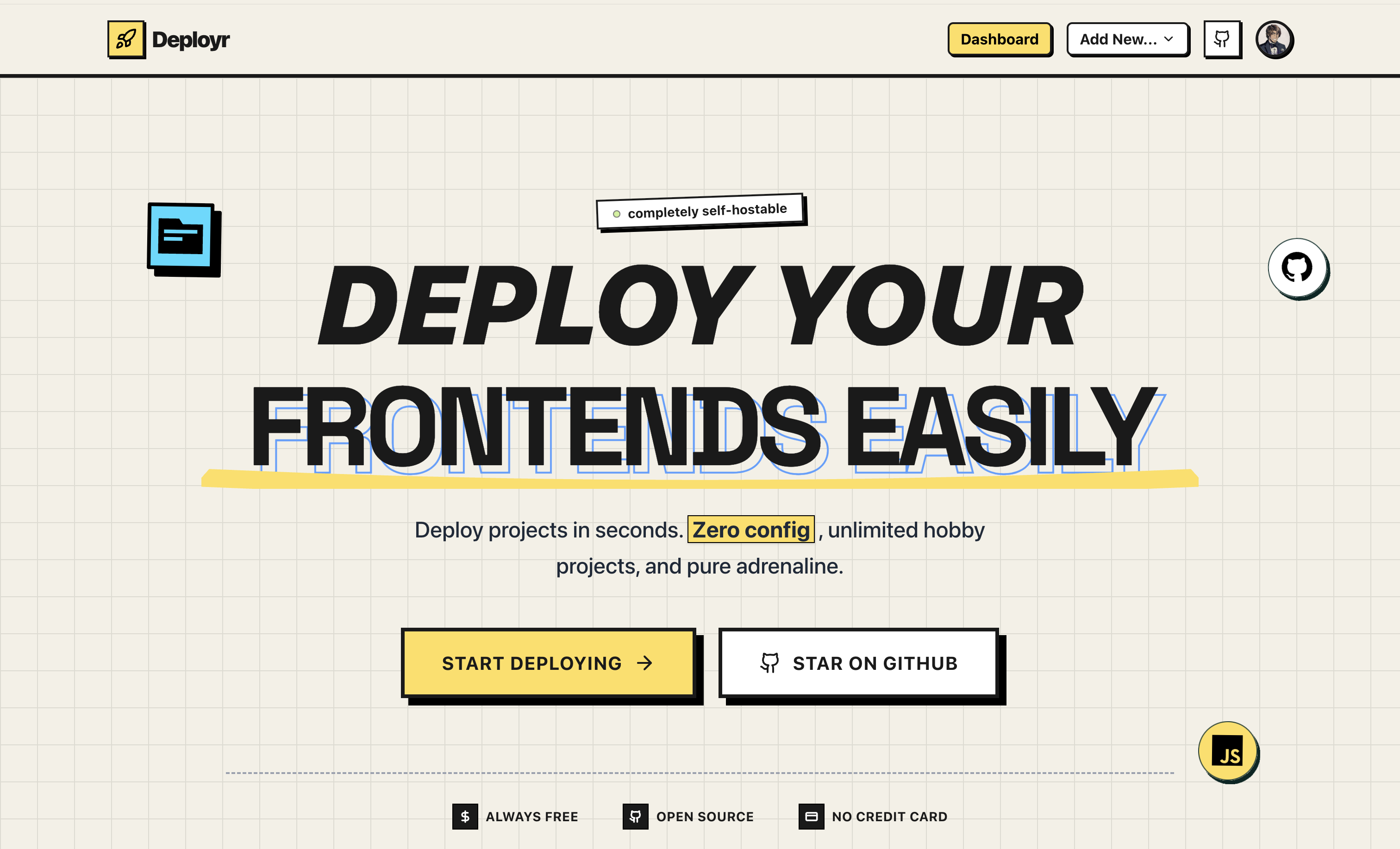
Deployr is a full-stack, self-hosted Vercel-like platform that allows you to connect a GitHub repository, specify your build settings, and deploy static/Next.js sites dynamically under a custom subdomain (e.g.,
yourproject.deployr.live).
- 🧠 GitHub Integration — Connect repos, auto-fetch branches, and trigger builds.
- 🏗️ Docker-based CI/CD — Fully containerized build process using Docker.
- 🌐 Dynamic Subdomain Routing — Automatic reverse proxying with Nginx to
*.deployr.live. - ⚙️ Environment Variables Support — Easily inject env variables during builds.
- 📦 R2 Object Storage — Uses Cloudflare R2 for uploading final build output.
- 📊 Status Dashboard — Tracks builds with logs, size, and real-time updates.
- 🔐 Auth via NextAuth.js — GitHub OAuth + session-protected APIs.
- 🧵 Redis Queue — Pushes builds into Redis queue for serialized processing.
- 🗂️ PostgreSQL (via Prisma) — Used for storing all metadata.
- 📡 WebSocket Updates (wss.deployr.abhishekbr.dev) — Real-time updates over WS.
apps/
├── core/                       # Frontend (Next.js + Tailwind + Shadcn UI)
├── docker-cloner/              # Backend API server (Express.js)
├── docker-pull-and-builder/    # Consumes Redis queue & builds projects
│   └── ws-server/              # WebSocket server for real-time build updates
└── static-server/              # Serves built frontend projects from R2
    └── nginx/                  # Config for routing *.deployr.live, api, and ws
       GitHub
          |
   [Next.js Frontend]
          | Login, Choose Repo
          v
   [Express API Server] <--------- GitHub OAuth
          |
          | Project Creation -> PostgreSQL (Prisma)
          |
          +----> Redis Queue (build-queue)
                        |
                        v
              [docker-builder Worker] ---------> Docker Build
                        |                            |
                                              Inject ENV Vars
                        |                            |
               Uploads final build     <---     R2 Bucket
                        |
                        v
                WebSocket notify clients
- GitHub OAuth with
next-auth - Fetch user's repos using their token
- User selects repo, branch, and configures build settings
- Stores metadata in PostgreSQL
- Supports unique repo deployments only, so prevents duplicate project creation
- Only allows one deployment per GitHub repository
- Assigns unique slugs using
generateSlug() - Assigns unique slugs using
generateSlug()
- Pushes project ID to Redis (
build-queue) - Worker consumes it using
brPop - Fetches from S3, runs Docker build, injects ENV vars
- On success: uploads to R2, updates DB & notifies via WebSocket
- On failure: updates status + pushes failed ID to
FailedJobstable
// Redis enqueue logic
await publisher.lPush("build-queue", id);

// If Redis fails, fallback:
await pgClient.query(`INSERT INTO "FailedJobs" (id) VALUES ($1)`, [id]);- Uses
@aws-sdk/client-s3with custom signer for Cloudflare R2 - Uploads files to
output/<project-id>/ - Nginx static server reads from disk (optionally syncs from R2)
- SSL termination via Certbot (wildcard + root)
- Routes:
api.deployr.abhishekbr.dev-> API Server (8080)ws.deployr.abhishekbr.dev-> WebSocket Server (8082)*.deployr.live-> Static file server (8081)
server {
  listen 443 ssl;
  server_name api.deployr.abhishekbr.dev;
  proxy_pass http://localhost:8080;
}

server {
  listen 443 ssl;
  server_name ~^(.+)\.deployr\.live$;
  proxy_pass http://localhost:8081;
}⚠️ DNS Propagation delays:*.deployr.livetook hours to propagate globally.- ❌ Certbot errors due to SERVFAIL on
_acme-challengeDNS records. - 💣 Redis crash in production — fallback queue logging in PostgreSQL added.
- 🐞 AWS SDK error due to accidental misuse of GitHub URL as S3 endpoint.
- ⏱️ Docker builds occasionally timed out or failed due to memory constraints.
- 🌐 Realtime logs rendering took hours to configure and to debug all the occured bugs.
- 🎮 3D Visualization — Rendered 3D models using Three.js and React Three Fiber
-
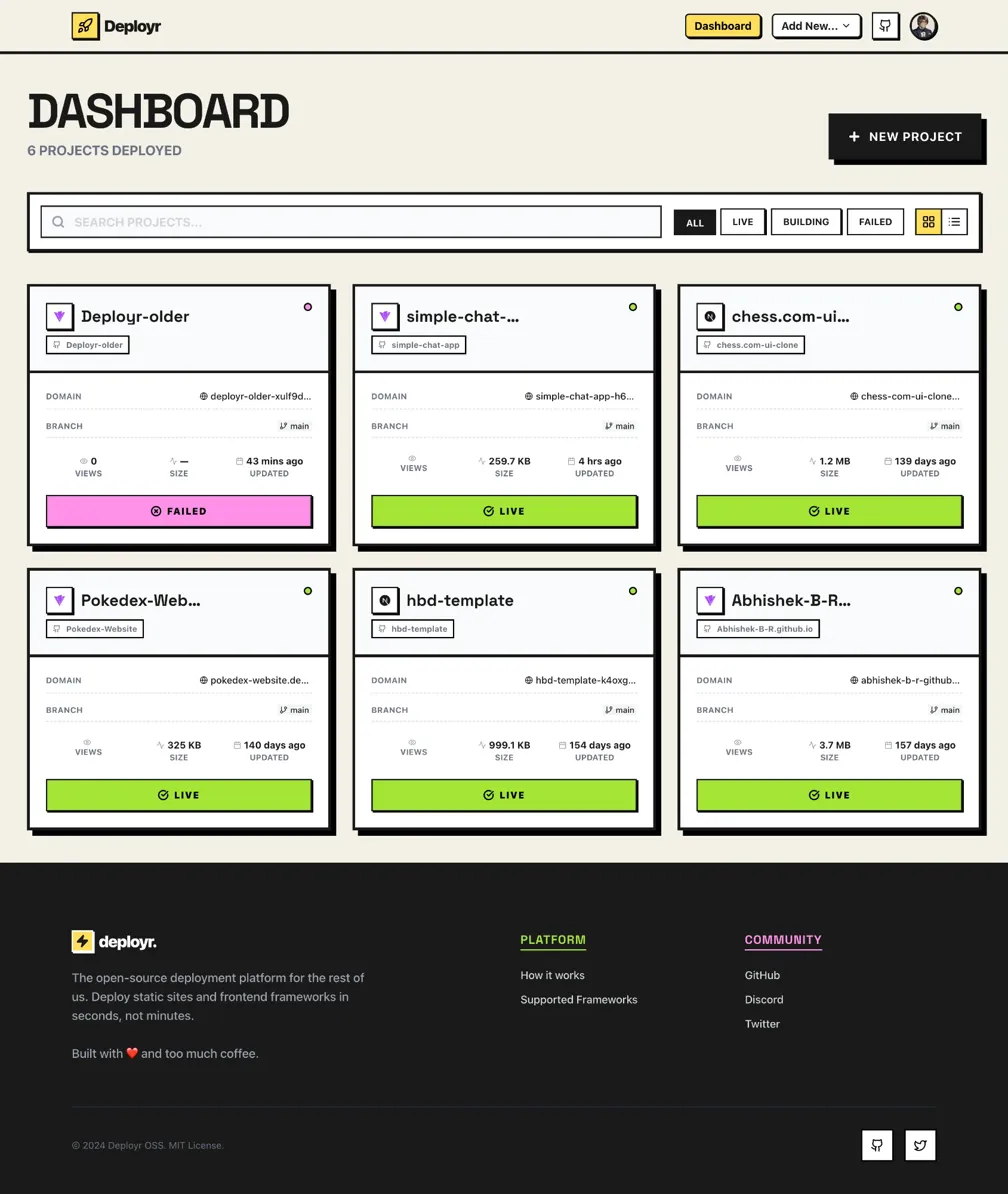
Dashboard with list of projects
-
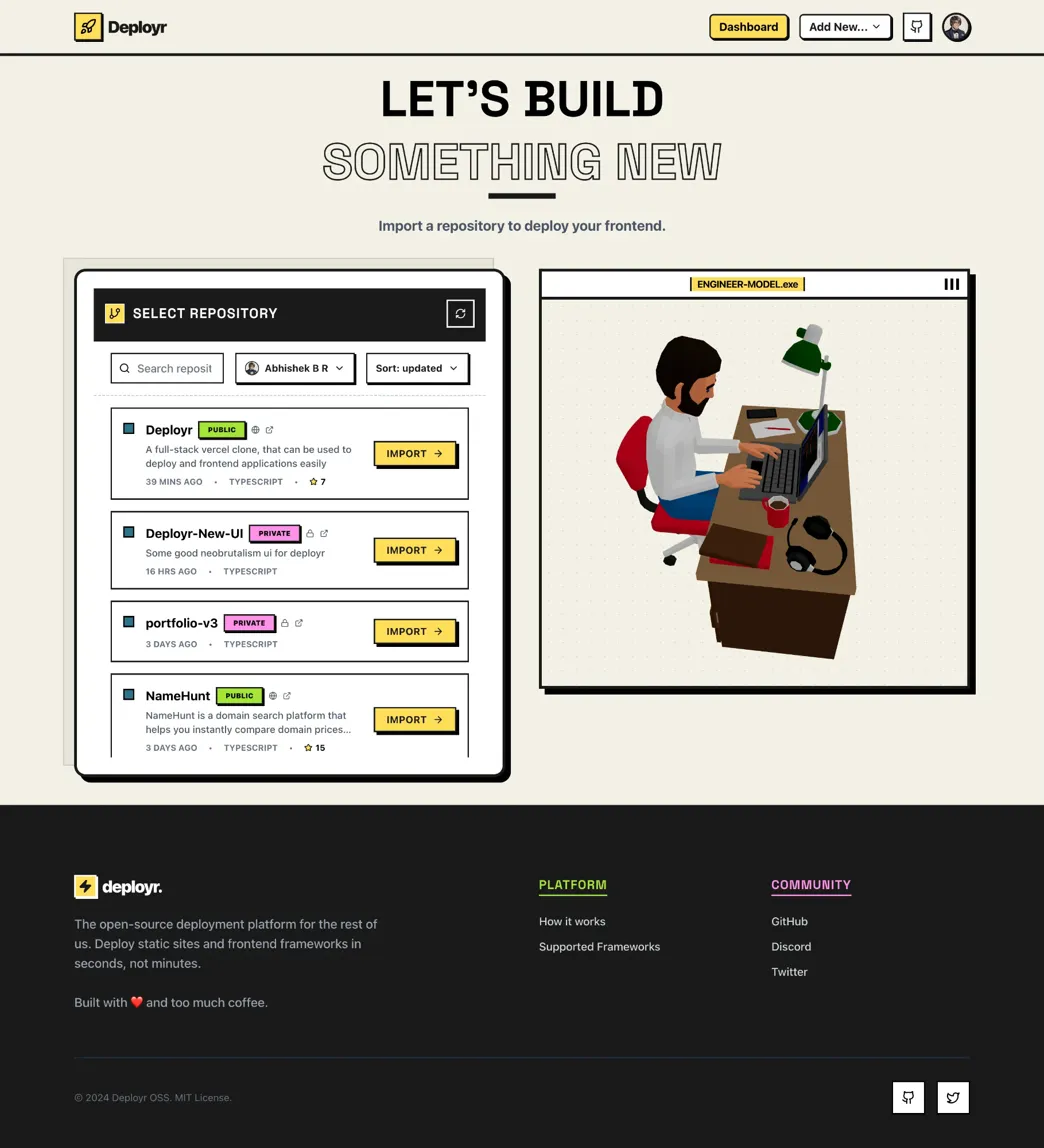
Create project modal with GitHub repo selector
-
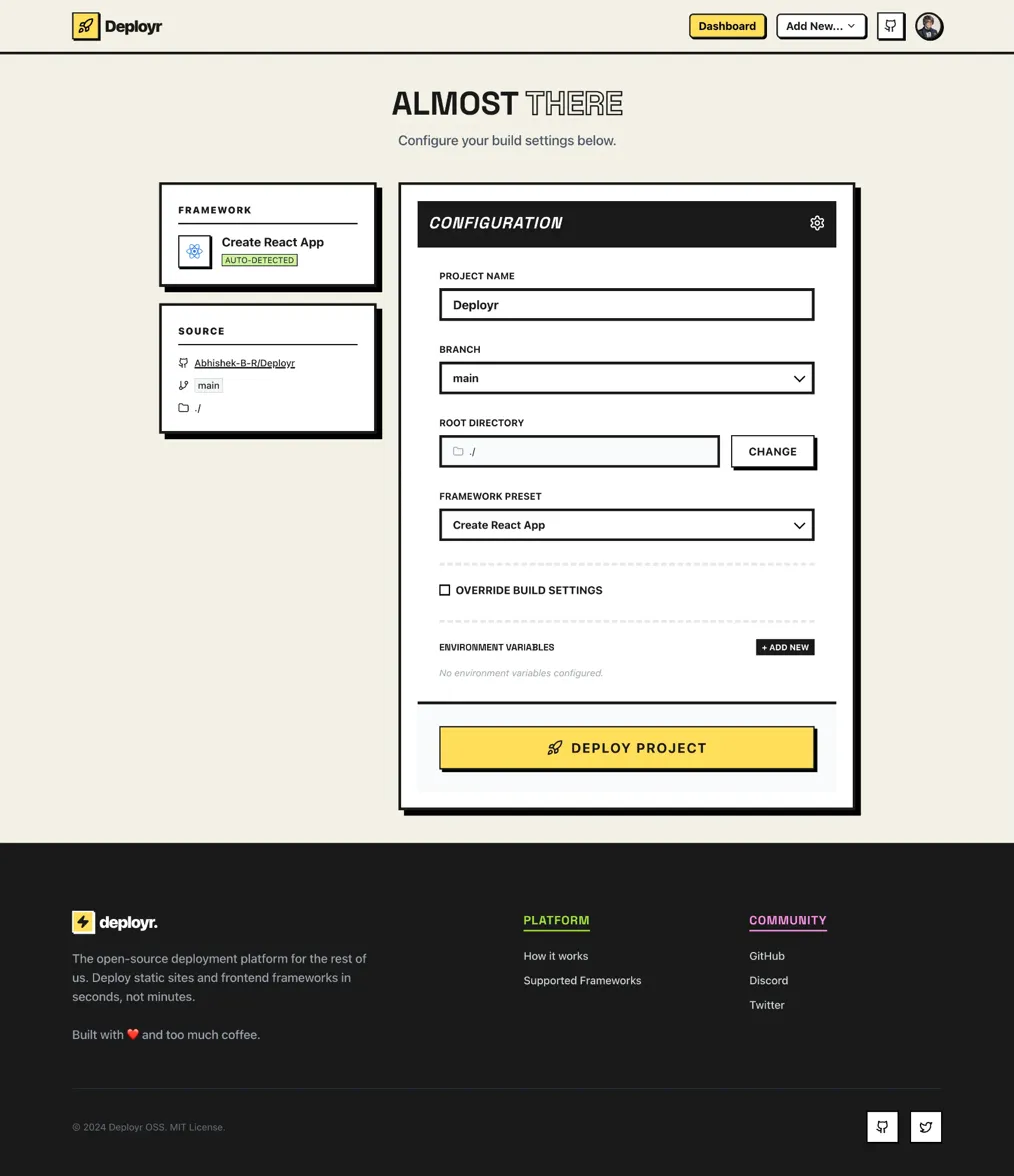
Smart framework detection along with customization like editing framework,build command,install command and output directory.
-
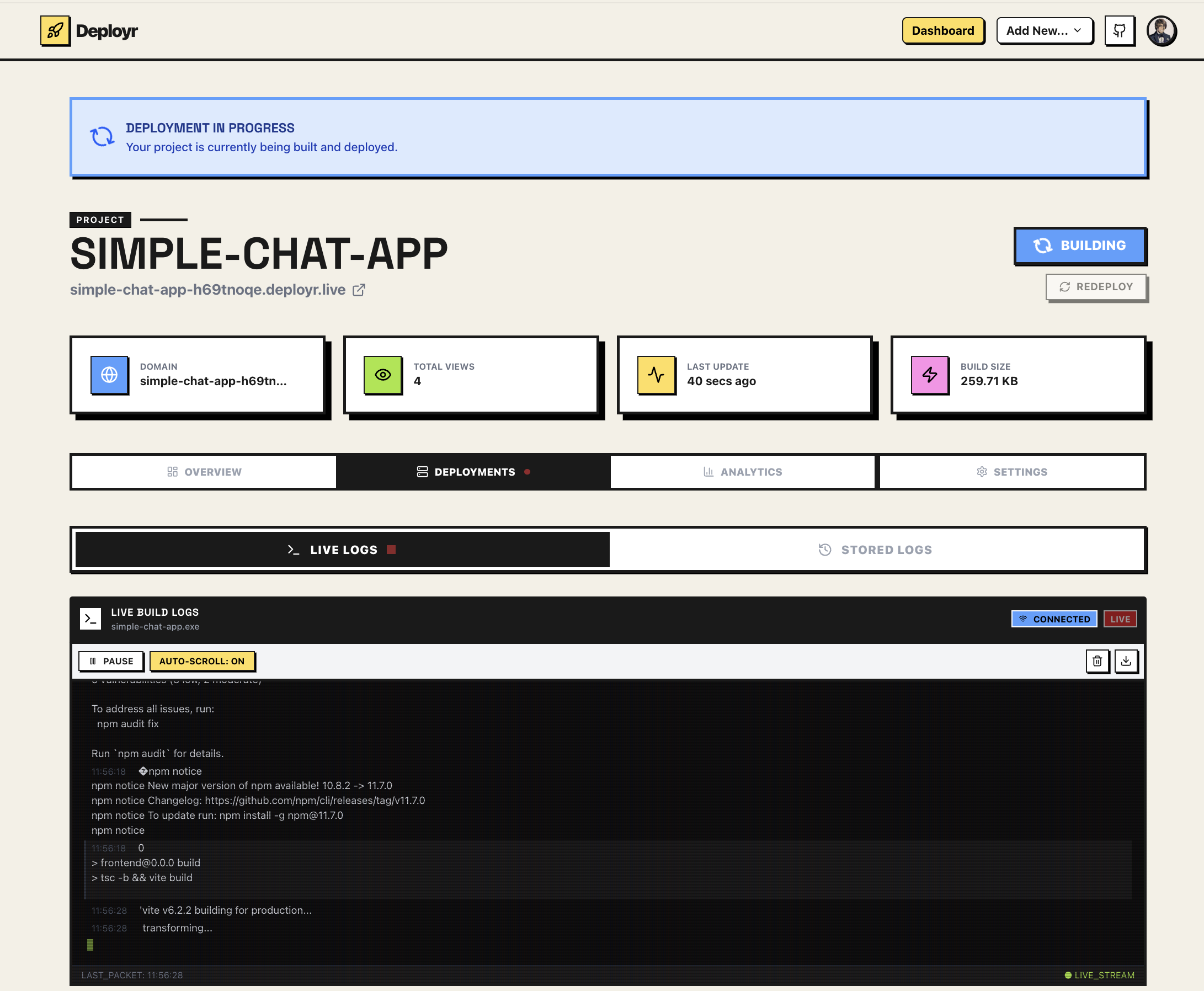
Logs viewer with real-time status (via WS)
-
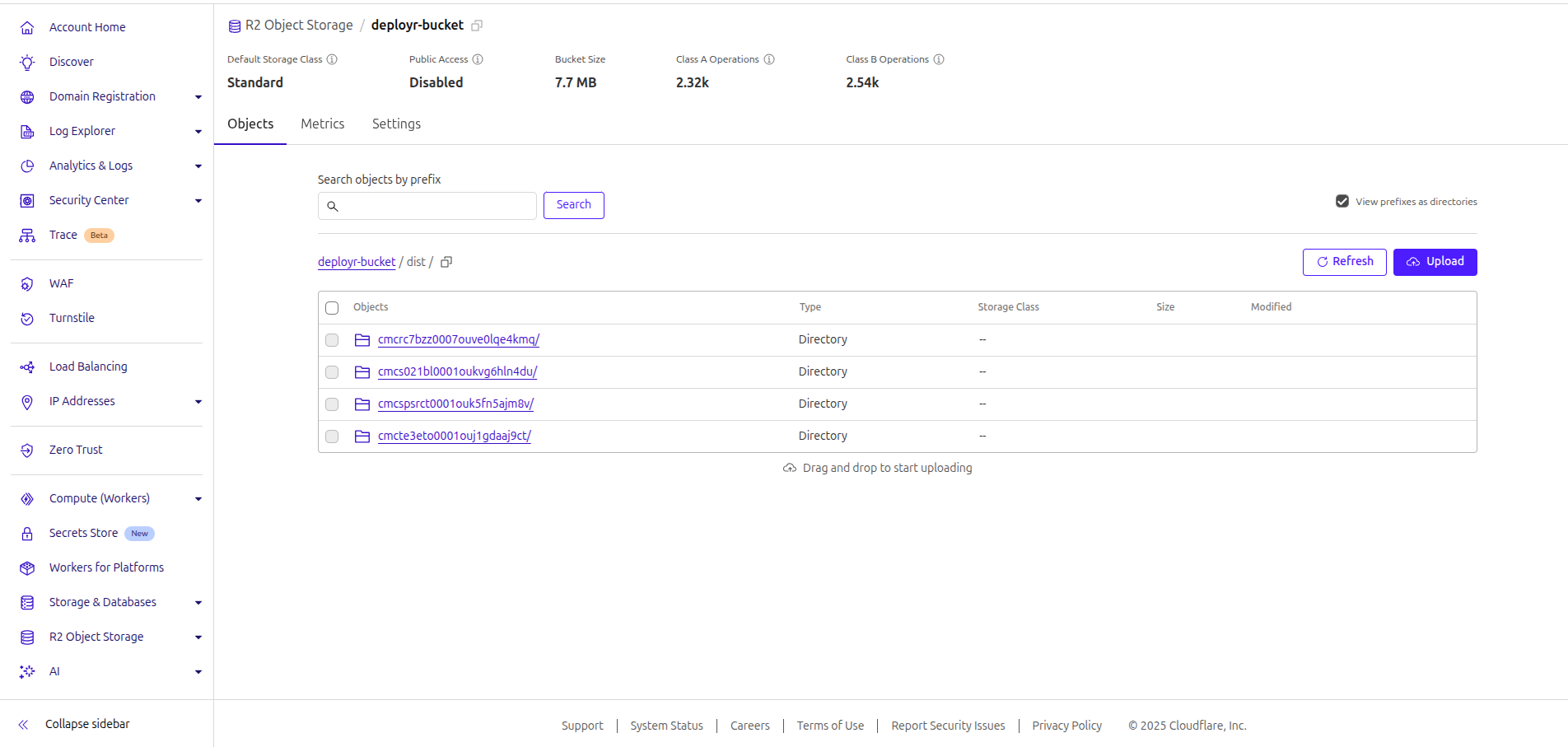
R2 uploads in Cloudflare dashboard
-
Final deployed website -
deployr.live
git clone https://github.com/Abhishek-B-R/deployr.git
cd deployr
cp .env.example .env   (in each folders)
# Fill in GitHub, Redis, Postgres, R2 credentials

# Start everything
pnpm i
make devBuild
Make sure:
- You own a wildcard domain (like
*.deployr.live) and it points to your server IP - Certbot is configured for
*.deployr.live+ root domain
| Layer | Tech |
|---|---|
| Frontend | Next.js, Tailwind CSS, Shadcn/UI |
| Auth | NextAuth.js + GitHub OAuth |
| Backend API | Express.js |
| DB | PostgreSQL + Prisma |
| Queue | Redis |
| Realtime | WebSocket + Node.js |
| Secure Builds | Docker, Docker CLI, Bash |
| Static Hosting | Cloudflare R2 + Nginx |
- Add GitHub Webhooks to trigger auto-rebuilds on push (Integrate CI-CD pipelines)
- Enable domain-level custom domain support (like
userdomain.com) - Rate limiting + per-user quotas
This project was built with tons of trial, error, debugging, DNS frustration, and joy. Inspired by Vercel's deployment flow, it's my way of understanding how production systems work end-to-end. Feel free to explore, fork, or contribute.
Made with ❤️ by Abhishek B.R. If you liked this, please consider starring ⭐ the repo.
✨ "If you can build Vercel in public, you can build anything."