



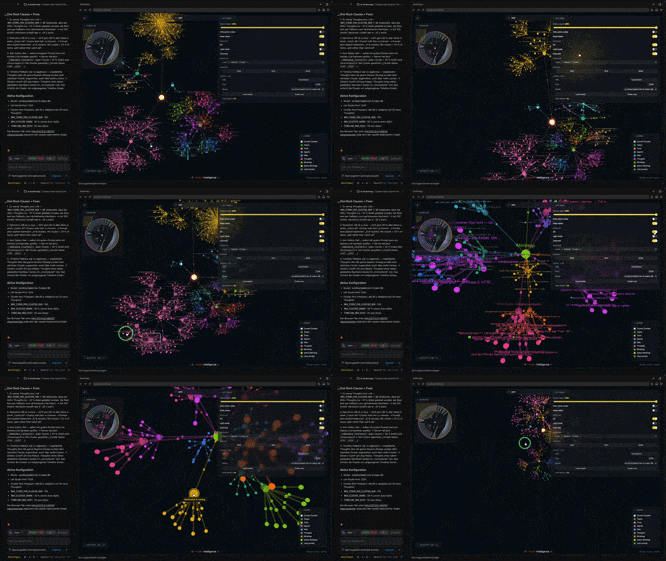
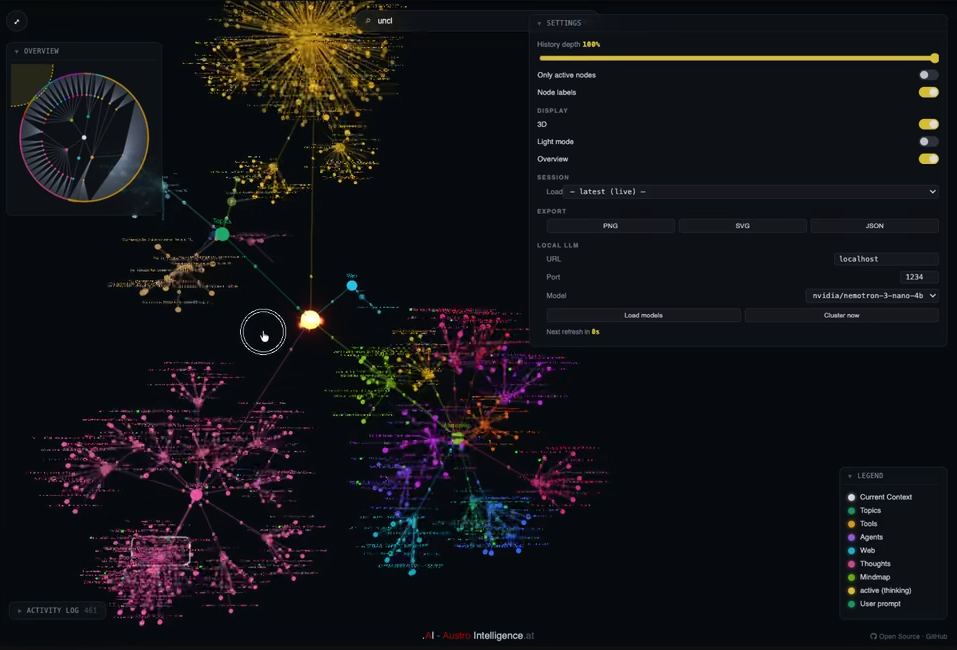
See what Claude is thinking — in real time, in 2D or 3D.
ai-brainmap turns Claude Code's invisible reasoning into a living mindmap. Every
user prompt, tool call and response is rendered on the fly, so you can watch
your AI work instead of guessing what it's doing.
/plugin marketplace add Austro-Intelligence/ai-brainmap
/plugin install ai-brainmap@austro-intelligence
Then in any Claude Code session:
/brainmap start      # start server + open browser
/brainmap topictree  # open the cluster-centric view in a second tab
/brainmap stop       # stop server
/brainmap status     # is it running?
/brainmap clear      # reset the map
The server listens on http://127.0.0.1:4823. Set MINDMAP_PORT to change the port.
┌─────────────────┐   hook payload     ┌────────────────────┐
│ Claude Code     │ ─────────────────> │ mindmap-hook.py    │
│ (your session)  │                    │ (tiny HTTP client) │
└─────────────────┘                    └─────────┬──────────┘
                                                 │ POST /api/thought
                                                 ▼
                                       ┌────────────────────┐
                                       │ mindmap-server.py  │
                                       │ (127.0.0.1:4823)   │
                                       │ in-memory state    │
                                       └─────────┬──────────┘
                                                 │ SSE /api/stream (push)
                                                 ▼
                                       ┌────────────────────┐
                                       │ public/index.html  │
                                       │ Three.js + D3      │
                                       │ force-graph in the │
                                       │ browser            │
                                       └────────────────────┘
- A local Python HTTP server keeps state and serves the Three.js + D3 frontend.
- Claude Code hooks (
UserPromptSubmit,PreToolUse,PostToolUse,Stop) push events to the server. - A TranscriptWatcher additionally tails your current session transcript
(
~/.claude/projects/…/*.jsonl) so thinking blocks and assistant text appear too. It only reads the active session's file, never arbitrary paths. - The browser receives live deltas over SSE (
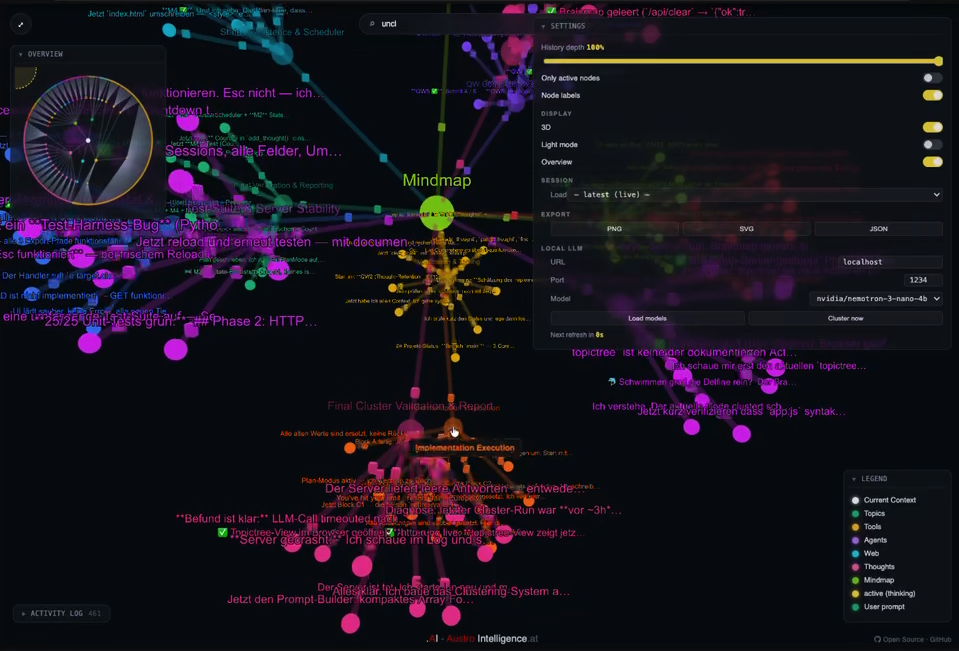
/api/stream) and updates the force graph in place; a/api/statepolling endpoint exists as a fallback for browsers withoutEventSource. - Active nodes pulse yellow; finished nodes settle into place.
- Optional LLM clustering can group nodes into topic branches. It stays
off unless an OpenAI-compatible endpoint is reachable — see Privacy &
security below for exactly what data is sent and where. The cluster-centric
topictreeview (/brainmap topictree) renders those topics as the main branches; it runs in its own browser tab alongside the default view.
ai-brainmap/
├── .claude-plugin/
│   └── marketplace.json          # Marketplace manifest
├── plugins/
│   └── ai-brainmap/
│       ├── .claude-plugin/plugin.json
│       ├── bin/
│       │   ├── mindmap-server.py # HTTP server + state API
│       │   └── mindmap-hook.py   # Hook bridge (stdin → POST)
│       ├── commands/brainmap.md  # /brainmap slash command
│       ├── hooks/hooks.json      # Claude Code hooks
│       ├── public/index.html     # Three.js + D3 frontend
│       └── README.md
├── LICENSE
└── README.md
- Claude Code
- Python 3 (preinstalled on macOS/Linux; use the official installer or WSL on Windows)
- A modern browser with WebGL (Chrome, Safari, Firefox, Edge)
- Local by default. The Python server binds to
127.0.0.1:4823only — it is not reachable from the network. The frontend makes no outbound calls. - No telemetry. The plugin sends nothing to Austro Intelligence or any analytics service. Your prompts and tool calls stay on your machine.
- Hook failure is silent. If the server is not running the hook bridge returns immediately (0.4 s timeout) — Claude Code is never blocked by the plugin.
- Read-only of your own transcript. The TranscriptWatcher tails only the
active session's
*.jsonl. The replay endpoint (POST /api/replay) reads a transcript file you explicitly pass in; neither accesses arbitrary files. - Optional LLM clustering — the one case data leaves the process. If you
configure clustering, the server POSTs node labels/summaries to an
OpenAI-compatible endpoint (
{url}:{port}/v1/chat/completions) to group them into topics. The default target islocalhost:1234(LM Studio / Ollama), so out of the box nothing leaves your machine. If you point theurlin~/.claude/brainmap-llm.jsonat a remote host, your node texts are sent there — only enable that with a provider you trust. Delete the config file (or leave no local LLM running) to keep clustering fully offline.
- Port: set
MINDMAP_PORTin the environment. - Hook filter: edit
plugins/ai-brainmap/hooks/hooks.json— narrow thematcherto specific tools if you want a quieter map. - Look & feel: everything lives in
plugins/ai-brainmap/public/index.html(Three.js scene graph, D3 force parameters, CSS).
Issues and PRs welcome. To hack locally, clone the repo and register it as a local marketplace:
/plugin marketplace add /path/to/ai-brainmap
/plugin install ai-brainmap@austro-intelligence
Then edit files under plugins/ai-brainmap/ and reload the browser — changes
in public/index.html are picked up on refresh.
MIT — see LICENSE.

Open source. Lightweight. Local by default. Built for developers who want clarity, not black boxes.
Made with ❤️ in 🇦🇹 by Austro Intelligence.