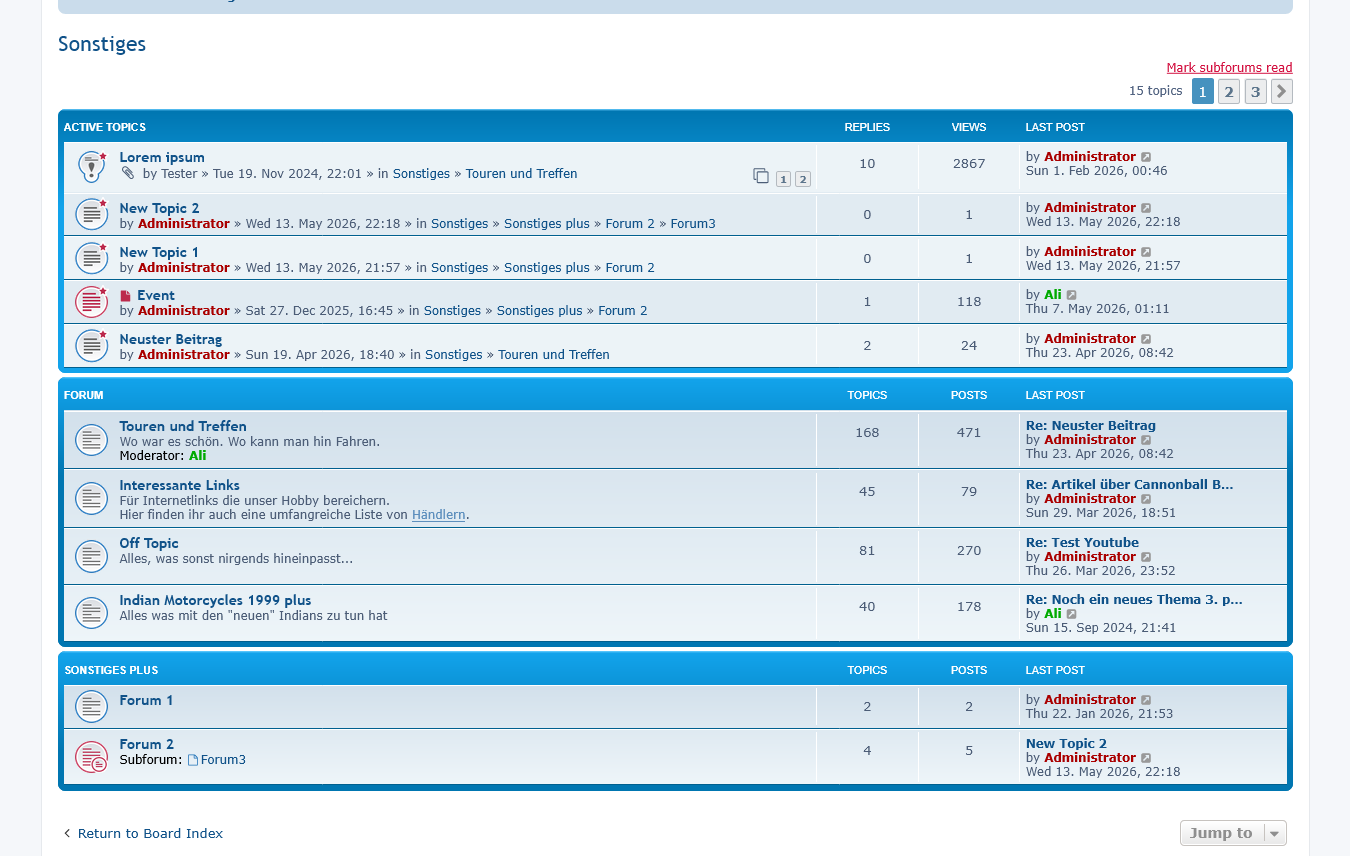
If you configure a forum as a category, the active topics of the sub-forums can be displayed there. This extension allows you to define the position of the active topics and the number of topics displayed. It adds the link to the forum from which the topic originated to the list of active topics.

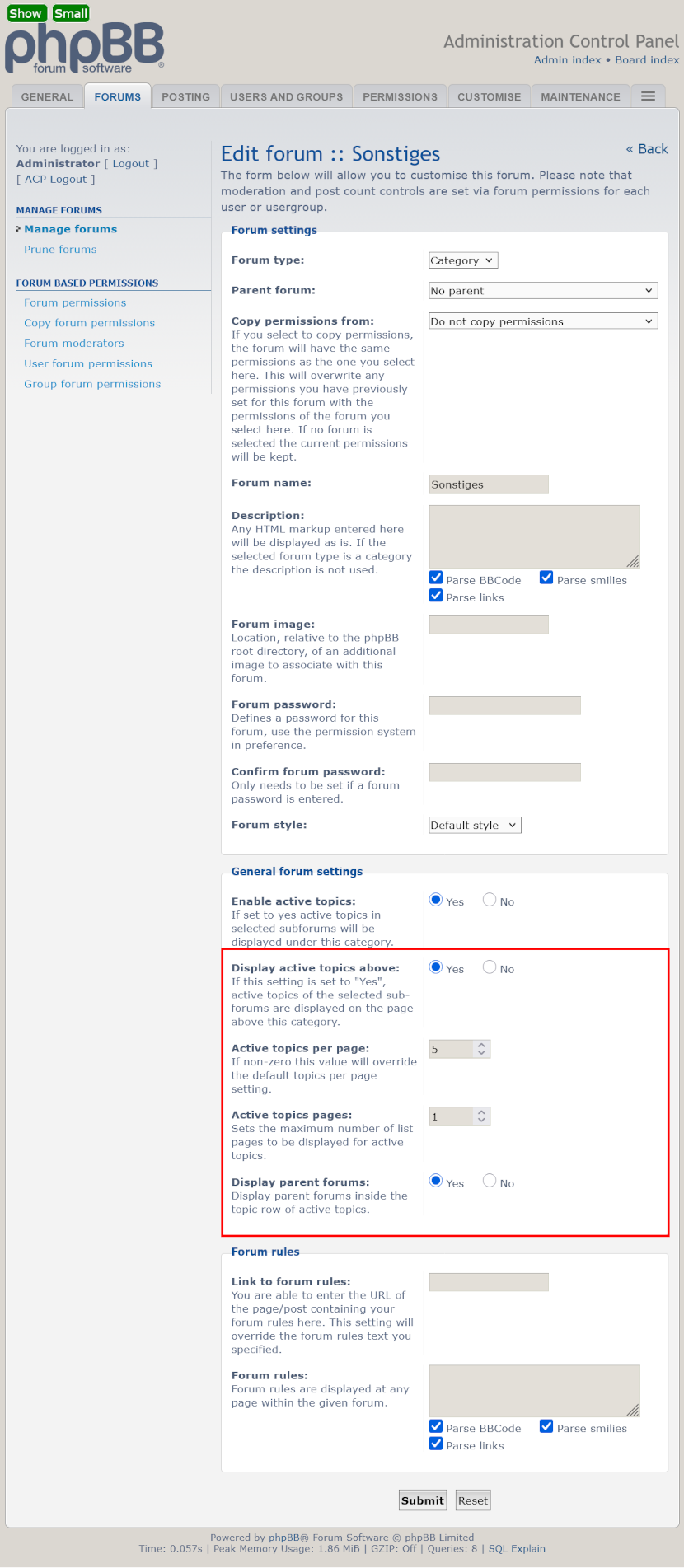
In "Forums" -> "Manage Forums" -> "Edit Forum"
- Display active topics above or below the category
- Number of topics per page
- Number of active topics pages
- Display parent forums in the active topics topic row
- phpBB >= 3.3.16, < 4.0.0-dev
- php >= 8.0.0
Copy the extension to phpBB3/ext/imcger/activetopics.
Go to "ACP" > "Customise" > "Manage extensions" and enable the "Active Topics" extension.
- Navigate in the ACP to
Customise -> Manage extensions. - Click the
Disablelink for "Active Topics". - Delete the
activetopicsfolder fromphpBB3/ext/imcger/. - Copy the extension to
phpBB3/ext/imcger/activetopics. - Go to "ACP" > "Customise" > "Manage extensions" and enable the "Active Topics" extension.
- Fixed: In the version-checking class, the logical OR was used instead of the bitwise OR
- Changed: Use just one SQL query to retrieve the parent forums
- Changed: Display only parent forums that are subordinate to the current category
- Changed: jQuery was replaced with vanilla JS, because the page flickered when loading
- Changed: Update
license.txt - Added: Display active topics in multiple pages (pagination)
- Removed unused language class
- Improved sql-query for parent forums
- Renamed
activetopics.jstoimcger_activetopics.js - Var names changed in acp listener
- Method name changed in main listener
- Use acp template event to insert forum settings
- Use
composer.jsonrequirements inext.php- Added class
imcger_ext_requirements
- Added class
- Use event to get forum data in main listener
- Minor change
- Published
- Navigate in the ACP to
Customise -> Manage extensions. - Click the
Disablelink for "Active Topics". - To permanently uninstall, click
Delete Data, then delete theactivetopicsfolder fromphpBB3/ext/imcger/.