

Your windows. Working together.
A free, native macOS window manager.
Snap windows into place, resize neighbours together, and let Bento adapt as your work grows.
Download the latest beta · Website · Features · Install · Privacy · Documentation




Requires macOS 26 or later and Accessibility permission.
The public beta is self-signed and not notarized. Read the installation steps before first launch.
Watch the full tour · 25 seconds
Feature demonstrations. For videos with playback controls, visit the website.
Drag the shared boundary between adjacent windows. Both windows resize together.
Choose a live resize or a ghost preview that applies when you release.

Open a window. Bento makes room in the layout while keeping movement and resizing to a minimum.
Swap windows, adjust the layout, or float a window out when it needs its own space.

Group windows into resizable panes. Select a tab to bring its window forward.
Drag tabs between panes or float a window out. The other windows stay open behind it.

Turn off Stage Manager for Tabbed. Pane assignments last for the current app session.
Cross-display tab dragging is unavailable.
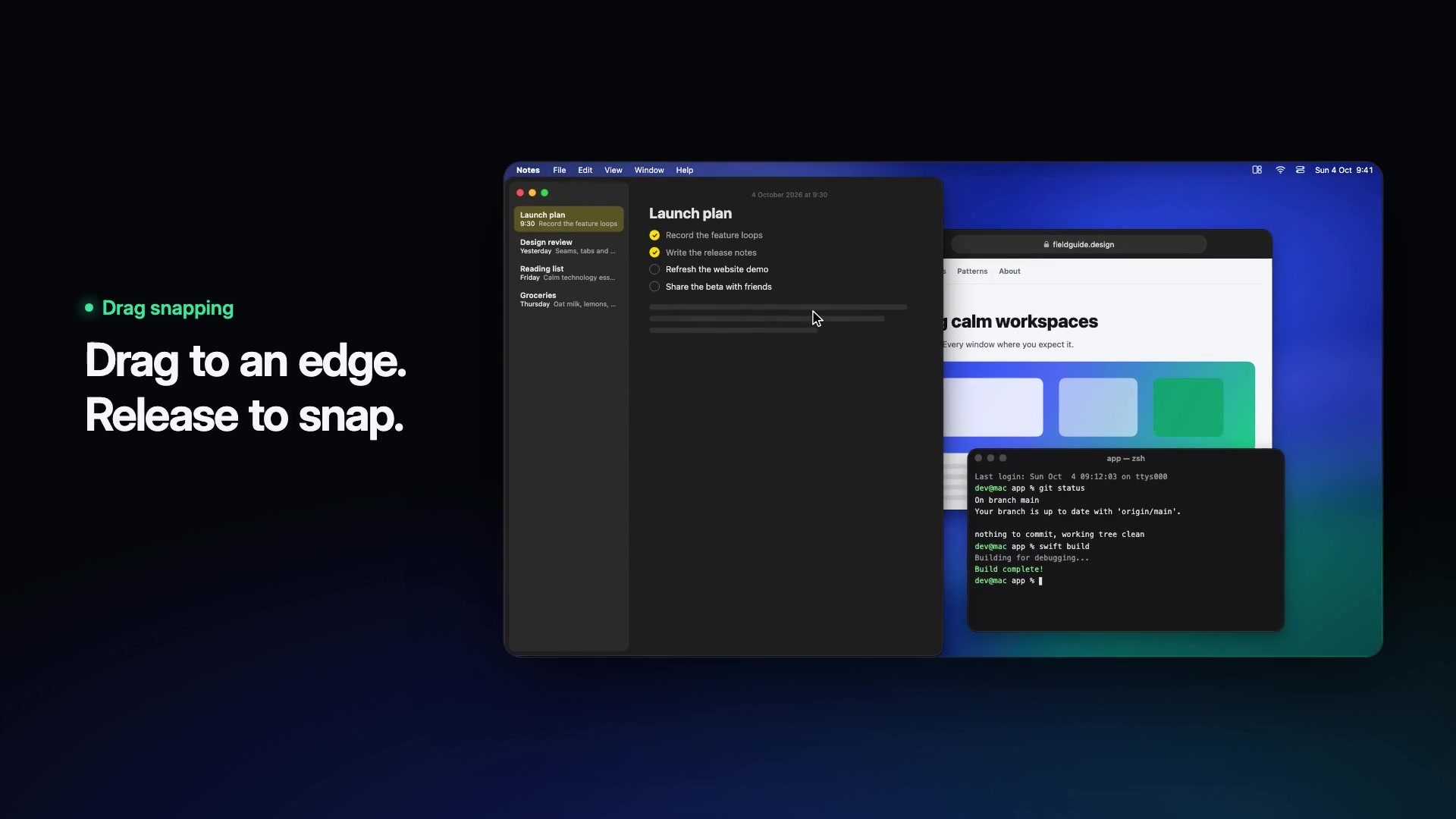
Drag snapping
Drag a title bar toward an edge or corner. Preview the placement before you release.
Layout Wheel
Hold Control + Option + Shift, choose a sector, and release.
Configure the trigger, actions, and one or two levels in Settings. The center or Escape cancels.
Keyboard shortcuts and undo
Place windows with global shortcuts, with duplicate checks for BetterTile actions.
Undo a placement to restore an earlier window frame.
The optional Middle Click trigger reserves unmodified middle-click system-wide while enabled.
Other apps receive that button again when you turn the option off.
Watch drag snapping · Watch the Layout Wheel · Watch shortcuts and undo
- macOS 26 or later.
- Accessibility permission. This is the only macOS permission BetterTile requests.
- To build from source: Xcode 26 / Swift 6.3 or later. See Development setup.
- Download the latest beta.
Open the
BetterTile-*-beta.dmgand drag BetterTile into Applications. - Launch BetterTile. The beta is signed with the stable, self-signed
BetterTile Beta certificate. It is not signed with an Apple Developer ID
and is not notarized. After the first launch attempt, open System Settings →
Privacy & Security and choose Open Anyway after confirming the download
came from this repository. You can check it against the
.sha256file beside the release download. - Follow BetterTile's explanation to grant Accessibility permission. BetterTile runs in the menu bar. Its Dock icon is optional and off by default.
BetterTile checks its GitHub-hosted update feed every four hours by default. It shows release notes and asks before downloading or installing. Turn automatic checks off in General Settings, or use Check for Updates… at any time.
Sparkle verifies each update's EdDSA signature against a public key built into the app. This is separate from the beta's macOS code signature. Public betas since 0.4.1 use the same self-signed certificate to preserve Accessibility permission across normal updates. If that identity changes, the release notes will explain the one-time permission steps.
Follow Development setup to configure your free Personal
Team, open BetterTile.xcodeproj, and run the shared BetterTile scheme.
The Debug app has its own configuration and Accessibility grant, separate from
the public beta. Package.swift exposes supporting libraries only; the runnable
app comes from the Xcode project.
Use your Personal Team in the gitignored Config/LocalSigning.xcconfig and keep
the bundle identifier unchanged. Ad-hoc signing changes the app's identity on
each rebuild. See the signing guide
for setup and the one-time permission reset.
Window geometry and configuration stay on your Mac. BetterTile has no advertising, behavioral tracking, or sale of user data. It explains Accessibility permission before requesting it.
Public Apple APIs move and resize windows. A small, documented set of reviewed, read-only private observations improves window identity, minimum-size handling, Spaces, and Stage Manager behavior. Each observation is validated and has a public fallback. BetterTile uses no code injection or SIP workaround.
BetterTile observes limited pointer and keyboard input for snapping, resizing, and the Layout Wheel. Update checks and downloads contact GitHub, which receives ordinary connection metadata. These requests send no window data, configuration, analytics, telemetry, crash reports, or system profile. Send Feedback opens a GitHub form with the app version and build in its suggested title; it submits no issue automatically.
Read Security and privacy for the input scope, network disclosure, private observations, fallback behavior, and vulnerability reporting.
- No cross-Space window movement. BetterTile does not move windows between macOS desktops.
- Stage Manager groups stay single-window. A thumbnail drag selects one validated frontmost member. BetterTile does not move or synchronize the other windows in that Stage group.
- Tabbed needs Stage Manager off. Pane assignments and placement undo history last for the current app session. Cross-display tab dragging is unavailable.
- Some apps restrict window sizes. Broader real-app stacking, multi-display, and Space-switch behavior remains under validation. Read the beta notes.
Free forever. No paid tier, subscription, trial, or features held behind a purchase.
Open source under the GNU GPL v3 or later.
Use it, read it, fork it, and share modified versions under the same license.
Download BetterTile · Explore the website
- Development setup — build, sign, run, and test on your Mac.
- Contributing — branch, test, and pull-request workflow.
- Architecture — layers, coordinates, window mutations, and Bento.
- Domain glossary — shared BetterTile terms.
- Beta releases — version, validate, sign, and publish an update.
- Security and privacy — permissions, networking, and reporting policy.
- Third-party notices — upstream code, attribution, and terms.
- Agent instructions — build, test, and convention rules for coding agents.
- Vorssaint — BetterTile includes adapted settings and menu-panel presentation code from Vorssaint. Its demand-based service ownership shaped BetterTile's runtime lifecycle. See Third-party notices for attribution and terms.
- Rectangle — a reference for event-driven window management on macOS.
Made by @LMC-Karma