
Name: Samuil Georgiev Georgiev email: samuil.georgiev@outlook.com School: EG "Geo Milev" Class: 12e
Name: Iliyan Plamenov Petrov email: ilko.petrov27@gmail.com School: "Ivan Vazov" Secondary School Class: 11a
Maria Kirilova Georgieva GSM: 0895355091 email: eg.m.kirilova@gmail.com Senior teacher
Dr. engineer Svetlana Vasileva Boyadzhieva GSM: 0884164221 email: svetlanaeli@abv.bg
The project aims to facilitate and speed up the process of identification at the entrance of various objects. In places where access to outsiders is restricted, our services offer quick and easy identification. To identify a person, they must show an identifying QR code from their profile by showing their mobile device to a scanning device that is placed in front of each object.
- The first stage in the project was a study of the necessary technologies.
- This was followed by a rough shaping of the model under which the project would be developed.
- The next step was to create the web application that users will use for identification. When it was sufficiently developed, we created the scanning device.
- Subsequently, we continued with the development of the web application.
A major problem was starting the project without a working physical device. Initially, our idea included a Raspberry Pi, but then we had to go without. This was a problem because we were relying on the Raspberry Pi to represent our scanning system. We were able to overcome this obstacle by using the camera of a phone connected to a computer. Another problem we faced was preventing a QR code from being stolen by a user. We overcome this problem by generating new code every time a user uses our web application. Each QR code is valid for 1 minute.
The web application is built using Laravel. The hardware part of the project is a phone that is connected to a computer. The phone shares a live video stream to a Python program, via the DroidCam app. When a QR code is displayed on the scanning device, it detects it and the code is sent to the web server. It then checks to see if the user is allowed to pass. On the web server is the other part of the scanning system. When it receives a code, the program finds the user that is bound to the code. Then it sends a response to the scanning device, by which it knows whether the user has the right to pass or not.
Programming languages: HTML 5, CSS, JavaScript, PHP, SQL Libraries: Bootstrap 5 Software: GitHub, Visual Studio Code, Sublime Text 3, XAMPP, FileZilla, Adobe Photoshop Communication: Discord Others: phpMyAdmin, MySQL, Laravel, DroidCam
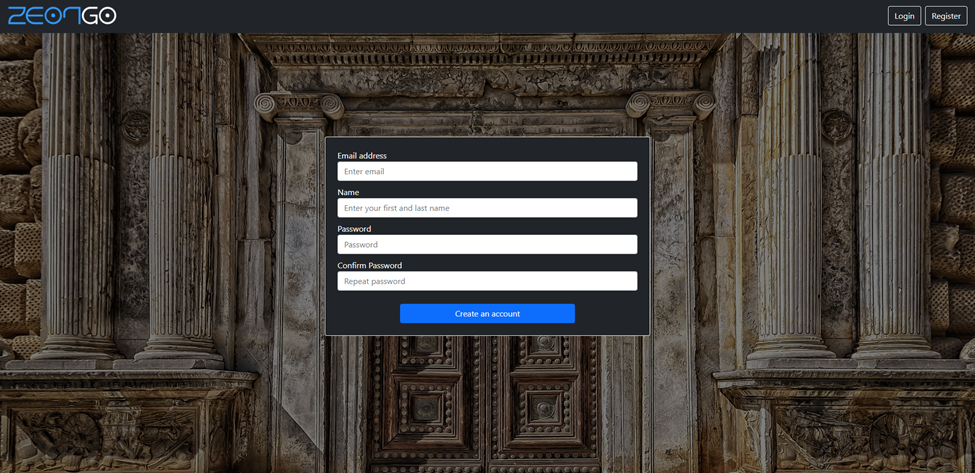
The project consists of two parts. The first is the scanning system and the other is the information system, where users and managers can see the complete access history. The scanning system is the devices that represent checkpoints. They allow only authorized persons to pass. The person who purchased the device gets manager rights over this device and can place it in a place where they want to restrict access to outsiders. The information part is the website where the user can view the information collected about him - on which devices he checked in. Device managers can see the complete history for a single device. When device registration is complete, regular users wishing access can be invited or apply for access. If they apply they have to wait for approval from a manager, and when a manager invites them they have the option to accept or decline the invitation. Users can register at the following web address: https://www.zeongo.online/register
User rights:
- To be identified in front of a device
- To apply for device access
- To revoke your access to a device
Manager rights:
- All user rights
- Allowing a user to pass through a checkpoint
- Edit device information
Admin rights:
- All manager and user rights
- Create new devices
- Creation of managers
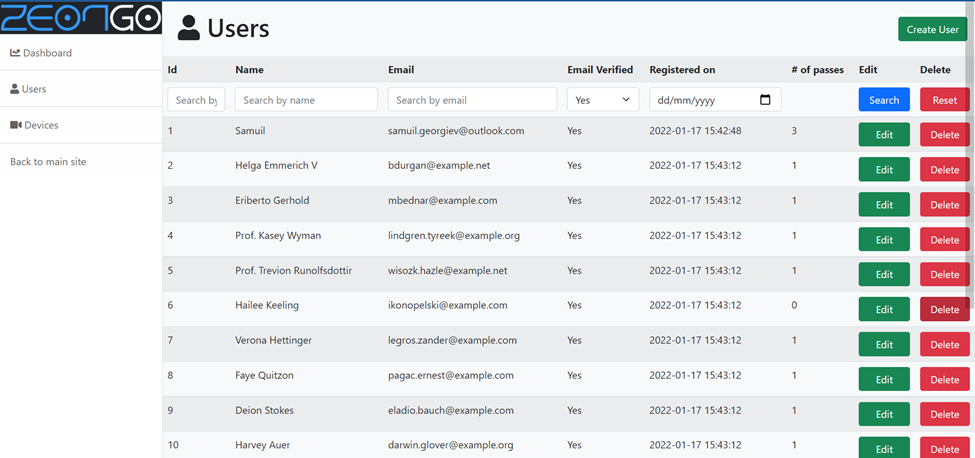
- Editing of all data in the database
Registration page
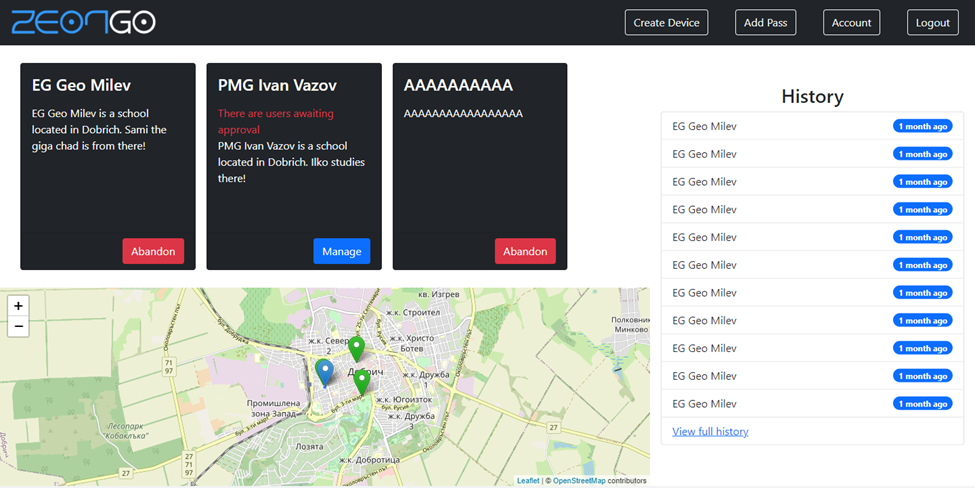
Using his account, any user (including manager) can view the devices that are connected to him. Users have a home page from which they can see their location along with the location of their devices. The history of the most recently used "passes" can be viewed from the home page.
User page
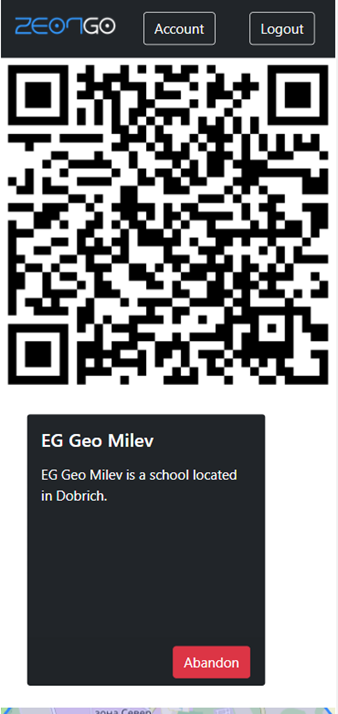
Mobile view where the QR code is
The page where the manager can manage a device
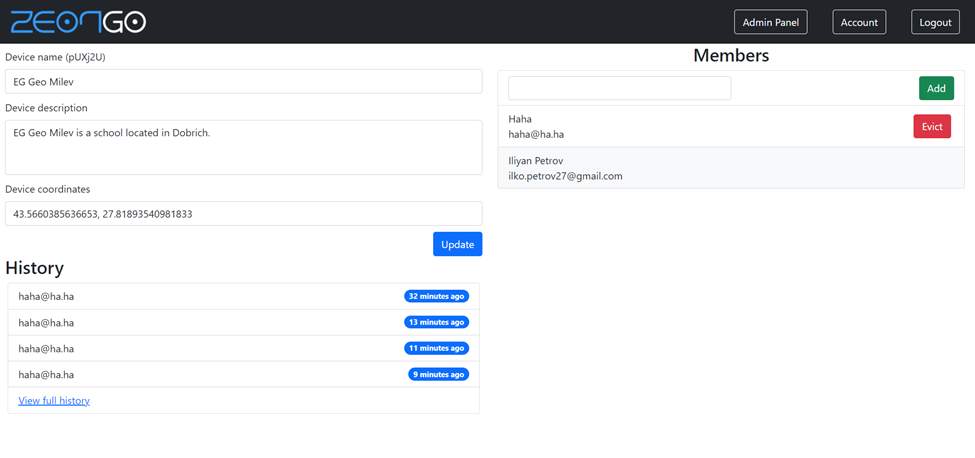
The admin page
Identification process
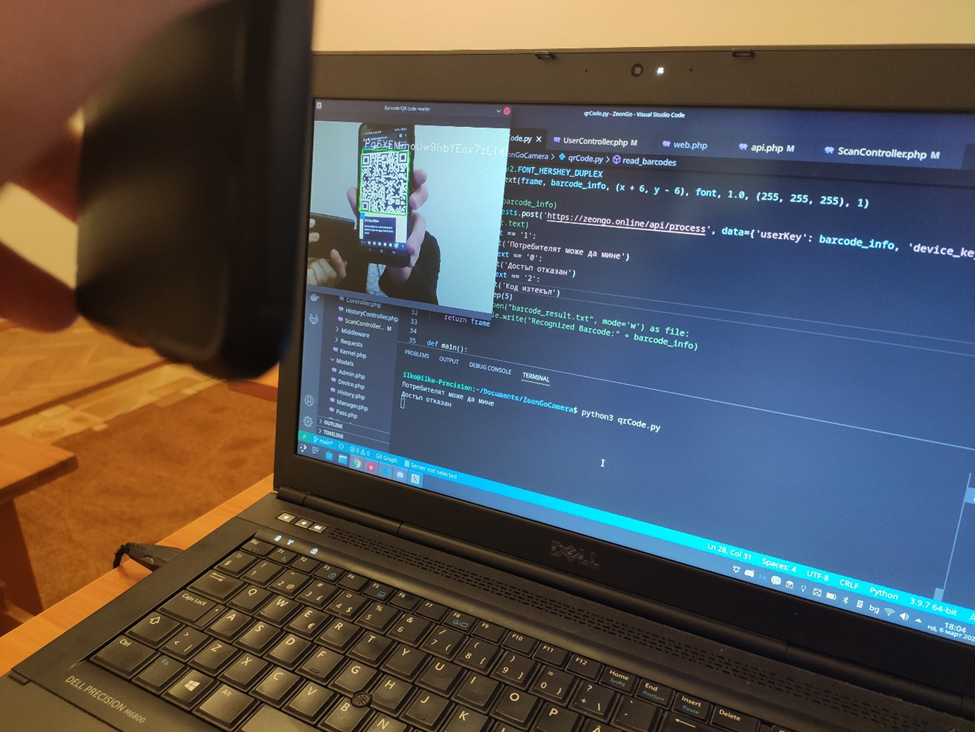
Our device is set up as a gateway. In order for a person to pass, they must scan the QR code from their profile. This code can be accessed through the mobile version of our web application. Provided the person appears in the database as someone with access, they will be allowed through the checkpoint. Future functionality is building an Android app to make it even easier for users. In the case of implementation, we would undertake the construction of a prototype using a Raspberry Pi.
Access to user profile:
- Email: user@zeongo.online
- Password: userZeonGo2022
Access to manager profile:
- Email: manager@zeongo.online
- Password: managerZeonGo2022
Access to admin profile:
- Email: admin@zeongo.online
- Password: adminZeonGo2022