

English | Deutsch | Français | Italiano | Español | Português (Brasil) | Українська | Polski | 日本語 | 한국어 | 简体中文


USBridge Remote is a low-latency remote desktop and KVM-over-IP ecosystem: one client for Windows, macOS, Linux, Android, iOS and the browser, a host agent with a built-in Sunshine / Moonlight game streamer, and IP-KVM firmware for Radxa Zero 3W/3E, Radxa Cubie A7Z and Sipeed NanoKVM boards. It combines hardware-level BIOS access and software remote desktop in a single interface, with USB passthrough for gamepads, Wacom tablets, MIDI and microphones, and Tailscale P2P networking with no port forwarding.

All-in-one installer (Client + Agent, pick either or both during setup): Windows Setup (.exe) · macOS disk image (.dmg)
On Windows the Agent's virtual display driver (streaming with no monitor attached) is its own checkbox: ticked by default, unticked in a virtual machine without a real GPU, where the VM's own screen is streamed. Details in the Agent docs.
All files are on the latest release.
The Client is the control interface — installed on your workstation or laptop (or run directly in your browser). It manages connections, live remote desktop, virtual device passthrough, and snapshot registry.
| Platform | Installer | Portable | Packages / Store |
|---|---|---|---|
| Windows x86_64 | Setup (.exe) | Portable (.zip) | — |
| macOS Apple Silicon | Disk image (.dmg) | — | — |
| Linux x86_64 | Debian / Ubuntu (.deb) · Fedora / RHEL (.rpm) · Arch (.pkg.tar.zst) | AppImage | APT · DNF · pacman repository · Snap Store |
| Android ARM64 | APK (self-updating) | — | Google Play |
| iOS / iPadOS | — | — | App Store |
| Web browser | — | Open web.usbridge.io | — |
One command installs the Client and the Agent. On Linux it picks the native package for your distribution (apt on Debian/Ubuntu, dnf on Fedora/RHEL, pacman on Arch), and the package adds the signed USBridge repository, so the apps then update with the rest of the system:
# Linux and macOS
curl -fsSL https://www.usbridge.io/install.sh | sh
# Agent only (a machine you only reach remotely)
curl -fsSL https://www.usbridge.io/install.sh | sh -s -- --agent
# Windows (PowerShell)
irm https://www.usbridge.io/install.ps1 | iex# Client from the Snap Store (Ubuntu, and Arch with snapd from the AUR)
sudo snap install usbridge-clientAdd the APT repository by hand (Debian / Ubuntu)
curl -fsSL https://raw.githubusercontent.com/USBridge-Technologies/USBridge-Remote/main/scripts/deb/usbridge-archive-keyring.gpg \
  | sudo tee /usr/share/keyrings/usbridge-archive-keyring.gpg >/dev/null
echo "deb [arch=amd64 signed-by=/usr/share/keyrings/usbridge-archive-keyring.gpg] https://github.com/USBridge-Technologies/USBridge-Remote/releases/latest/download ./" \
  | sudo tee /etc/apt/sources.list.d/usbridge.list
sudo apt update && sudo apt install usbridge-client usbridge-agent
A downloaded .deb, .rpm or Arch package sets up the same repository when you install it.
🌐 Zero-Install Web Client: No installation required. Just open web.usbridge.io to connect instantly. (Note: The web client operates with some feature and performance limitations due to browser security sandbox and WebRTC constraints. For the full uncompromised experience, use the native apps). The web client reaches an Agent through its trusted <label>.device.usbridge.io name: the Agent gets that certificate the first time a browser comes to it, and only while you're signed in to your USBridge account in the Agent — so the very first attempt can take a few minutes. See the Agent's Status → Certificate row, or the Agent docs for details. A USBridge KVM also serves the web client itself at https://<kvm>:9443/ and moves to its own trusted name when it can.
The Agent runs on the target machine — the server or PC you want to access remotely. It captures the screen and sound, passes your keyboard, mouse and gamepad through to that machine, and connects it over Tailscale.
|

|
Hardware-accelerated encoding: NVIDIA NVENC · AMD AMF · Intel QSV · Linux VAAPI · plus software H.264 (OpenH264) for VMs and machines without a GPU encoder
BASIC FUNCTIONALITYSUNSHINE OPEN-SOURCE Standard Game Streaming ✓ Built-in open-source Sunshine streamer ✓ Alternative streamers: Vibepollo (Sunshine fork with Apollo built in, Windows) and punktfunk (Moonlight-compatible, Windows & Linux), switch in one click ✓ Built-in benchmark to compare Sunshine, RustShine, Vibepollo and punktfunk on your own hardware and network ✓ Low-latency desktop & gaming access ✓ Bi-directional file & text clipboard ✓ Multi-monitor display switching ✓ Integrated Tailscale P2P networking ✓ Guest access: invite people by e-mail with a role and an end date ✓ Native Wayland support (promptless capture) |
+ BASIC FEATURESUSBRIDGE FREE Rust based Stream Engine ✓ Instant-connect custom remote protocol ✓ Raw USB peripheral device passthrough ✓ Adaptive streaming optimized for Wi-Fi stability ✓ HDR10 ✓ Lossless 4:4:4 chroma color accuracy ✓ Microphone passthrough (client → host) ✓ MIDI device passthrough (client → host) ✓ GPU encoding: NVENC, AMF, QSV, VAAPI ✓ Software H.264 (OpenH264) for VMs without a GPU ✓ PyroWave low-latency wavelet codec (by Valve) ✓ Headless virtual display management ✓ Low-latency gamepad controller passthrough ✓ Web browser client access (no installation required) ✓ Windows pre-login access (secure credential entry) |
+ BASIC FEATURES + FREE FEATURESUSBRIDGE PRO Professional Workflows ✓ Wacom tablet support with pressure & tilt (macOS too) ✓ Hardware KVM firmware for Radxa Zero 3W/3E, Radxa Cubie A7Z and Sipeed NanoKVM: BIOS/UEFI access, ISO virtual media, Btrfs snapshots ($19 lifetime per device, 24 h free evaluation) ✓ Hardware Moonlight streamer on those boards: any HDMI source (PC, PS5, Xbox, Switch) to Moonlight at 1080p 60 FPS, no software on the source |
-
Install the Agent on the machine you want to access remotely. Launch it — it will display a connection token and Tailscale address. Connect Tailscale if you need access over the internet.
-
Install the Client on your workstation, laptop, or phone.
-
Add a connection — enter the IP or Tailscale address shown in the Agent window. That's it.

|
Hardware-Level BIOS Control USBridge Remote integrates natively with the USBridge-KVM 2.0 appliance for out-of-band, bare-metal management before OS boot. It is also the first hardware Moonlight streamer: the stock Moonlight client pairs with the KVM and streams any HDMI source (a PC or a game console) with no software on it. 
|
DIY IP-KVM Firmware Flash the official firmware on a compatible board (Radxa Zero 3W/3E, Radxa Cubie A7Z) with an HDMI-to-USB capture dongle to build your own IP-KVM. On a Sipeed NanoKVM it replaces the stock firmware: smooth 60 FPS instead of a stuttering picture, audio and microphone, gamepads, USB passthrough and Moonlight support (download the firmware). 
|
USB/IP Hardware Dongle (ESP32-S3) Software USB passthrough hits a wall on macOS: there is no VHCI driver to attach to, so a remote Wacom tablet (or other USB device) can't be presented as real hardware. This dongle plugs into the Mac and does in hardware what vhci-hcd does in software elsewhere — the exported device enumerates with its own VID/PID, bound by macOS's own driver.
|
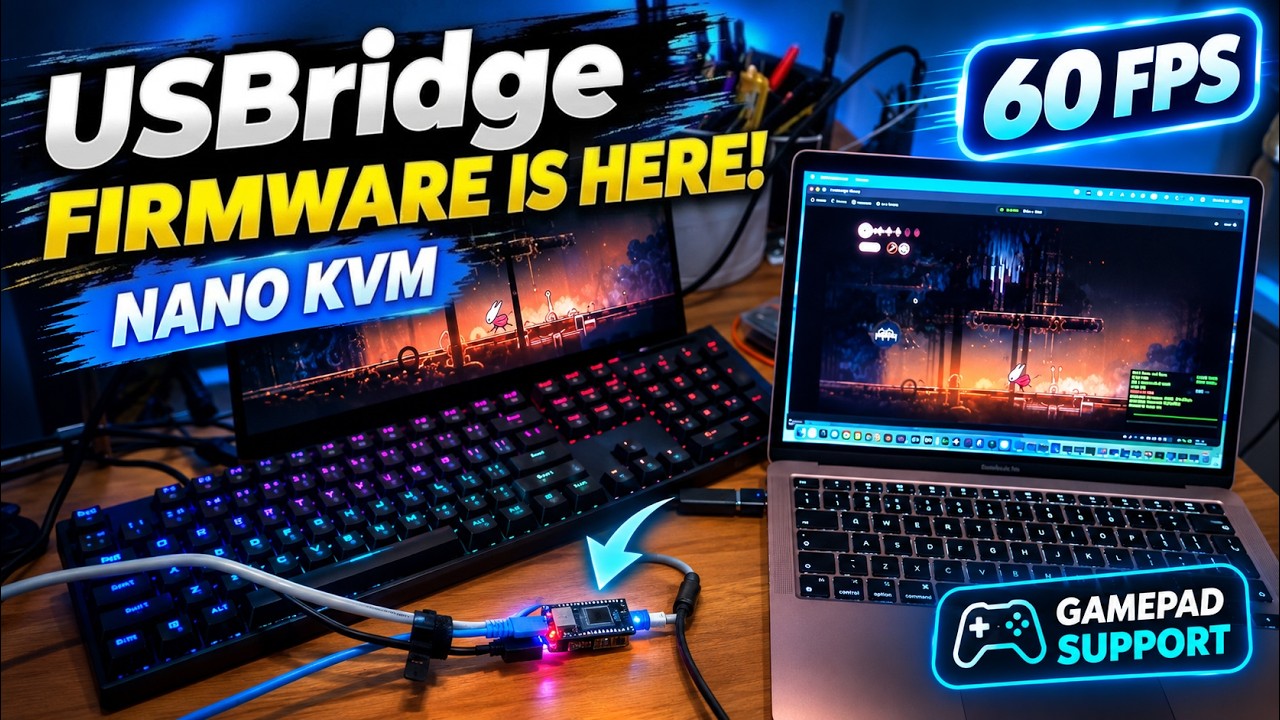




A 2-minute video: a Sipeed NanoKVM with heavy lag in a home lab becomes a 60 FPS KVM over IP with almost no input lag after flashing USBridge firmware, fast enough to play games with a gamepad. Tailscale works on the board itself, so it is reachable from anywhere with no port forwarding; sound plays both ways, and FEC (forward error correction) rebuilds lost packets, so the picture stays clean on Wi-Fi and over the internet. Firmware for the NanoKVM, Radxa Zero 3W and Radxa Cubie A7Z is on the Hardware Agent page.
Does USBridge work with Moonlight and Sunshine?
Yes. The Agent ships the open-source Sunshine streamer, so the stock Moonlight client connects to it. Vibepollo (a Sunshine fork with Apollo built in) and punktfunk are built in too and switch in one click.
Is there a hardware Moonlight streamer?
Yes. A USBridge KVM 2.0, or a Radxa Zero 3W/3E, Radxa Cubie A7Z or Sipeed NanoKVM flashed with USBridge firmware, is a Sunshine-compatible GameStream host for whatever is on its HDMI input: a PC, PS5, Xbox or Switch. It streams 1080p 60 FPS with audio to the stock Moonlight client, with no software on the source. See Hardware Moonlight Streamer.
Which streamer is fastest on my PC?
It depends on the GPU, the driver and the network. The built-in benchmark runs Sunshine, RustShine, Vibepollo and punktfunk on your own hardware and network and compares them. See Sunshine vs Apollo vs Vibepollo vs Punktfunk.
Which GPUs are supported for encoding?
NVIDIA NVENC, AMD AMF, Intel QSV and VAAPI on Linux. Virtual machines and PCs without a GPU encoder use software H.264 (OpenH264).
What is free and what needs Pro?
4:4:4 color, HDR10, PyroWave, gamepads, microphone, MIDI and raw USB passthrough are free. Wacom tablets with pressure and tilt, and the hardware KVM firmware ($19 lifetime per device, 24 h free evaluation), are Pro.
Can I turn a Sipeed NanoKVM or a Radxa board into an IP-KVM?
Yes. Flash the USBridge firmware from the Hardware Agent page. You get BIOS/UEFI access, ISO and IMG virtual media, immutable Btrfs snapshots, 60 FPS video, audio and USB passthrough. Radxa boards need an HDMI-to-USB capture dongle.
Do I need port forwarding?
No. Connections go over Tailscale peer-to-peer, with automatic NAT traversal.
Can I share access to a computer with someone else?
Yes. Invite people by e-mail with a role and an end date; guests join through USBridge and need no Tailscale account.
|
Development & Roadmap I maintain a public dashboard to track all planned features, architectural updates, and release schedules. View Live Roadmap |
Project Links |
License (GPLv3) This project is licensed under the GPLv3. The multi-platform client incorporates codebase from moonlight-common-c (also GPLv3).View LICENSE File |