A lightweight audio visualizer for Linux. Reacts to whatever's playing on your desktop and renders it as fluid, generative light patterns.
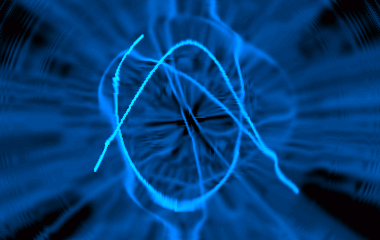
Runtime: PipeWire 0.3, GTK+ 3.x, GLib 2.28
Build tools: Meson, Ninja, pkg-config
Install Deps
Tested in Ubuntu 22 & 24.
sudo apt-get -y install meson ninja-build pkgconf libglib2.0-dev libgtk-3-dev libpipewire-0.3-dev wireplumber pipewire-pulse libpulse-dev
git clone https://github.com/dprotti/infinity-plugin
cd infinity-plugin
meson setup build -Db_lto=true
meson compile -C build
sudo meson install -C build
Then just run:
infinity
A window titled "Infinity" should appear and start reacting to audio playing on your desktop.

Enter / leave full-screen by pressing F11.
Infinity captures audio from your default output device (speakers/headphones) via PipeWire. If the visualization runs but ignores desktop audio, work through these steps.
1. Confirm PipeWire is the active audio server
pactl info | grep "Server Name"
Expected output contains PulseAudio (on PipeWire ...). If it says only
pulseaudio, PipeWire is not running. Enable it:
sudo apt-get install pipewire-pulse wireplumber
systemctl --user disable pulseaudio.service pulseaudio.socket
systemctl --user mask pulseaudio
systemctl --user enable pipewire pipewire-pulse wireplumber
systemctl --user start pipewire pipewire-pulse wireplumber
Log out and back in, then re-run the pactl info check.
2. Confirm a monitor source exists
pactl list sources short | grep monitor
You should see at least one line with monitor in the name and status
RUNNING or IDLE. If the list is empty, your ALSA driver may not be
exposing a loopback — check dmesg | grep snd for ALSA errors.
3. Confirm WirePlumber is running
WirePlumber is the session manager that links Infinity to the monitor source.
Without it the stream stays in paused state indefinitely.
systemctl --user status wireplumber
If it is not active, start it:
systemctl --user enable --now wireplumber
Then restart Infinity.
- Duilio Protti - maintainer, 2004-2026
- James Carthew - audacious 4.x support, Qt UI, Meson build, bug fixes, 2026
- CBke - patches, 2016
- John Lightsey - portability fixes and GPL License compliance, 2004
- Jean Delvare - patches, 2004
- Will Tatam - RPM packaging, 2004
- Haavard Kvaalen - autotools build, 2000
- Chris Lea (C) - RPM packaging, 2000
- Mitja Horvat - optimisations, 2000
- Julien Carme - original author, 2000
Contributions and bug reports are welcome! If something's broken or you have an idea, open an issue at https://github.com/dprotti/infinity-plugin/issues
Can be found at Sourceforge: https://sourceforge.net/projects/infinity-plugin/