
Turn formula screenshots into editable LaTeX and MathML.


Download · Quick Start · 简体中文 · LINUX DO Community · Report an Issue
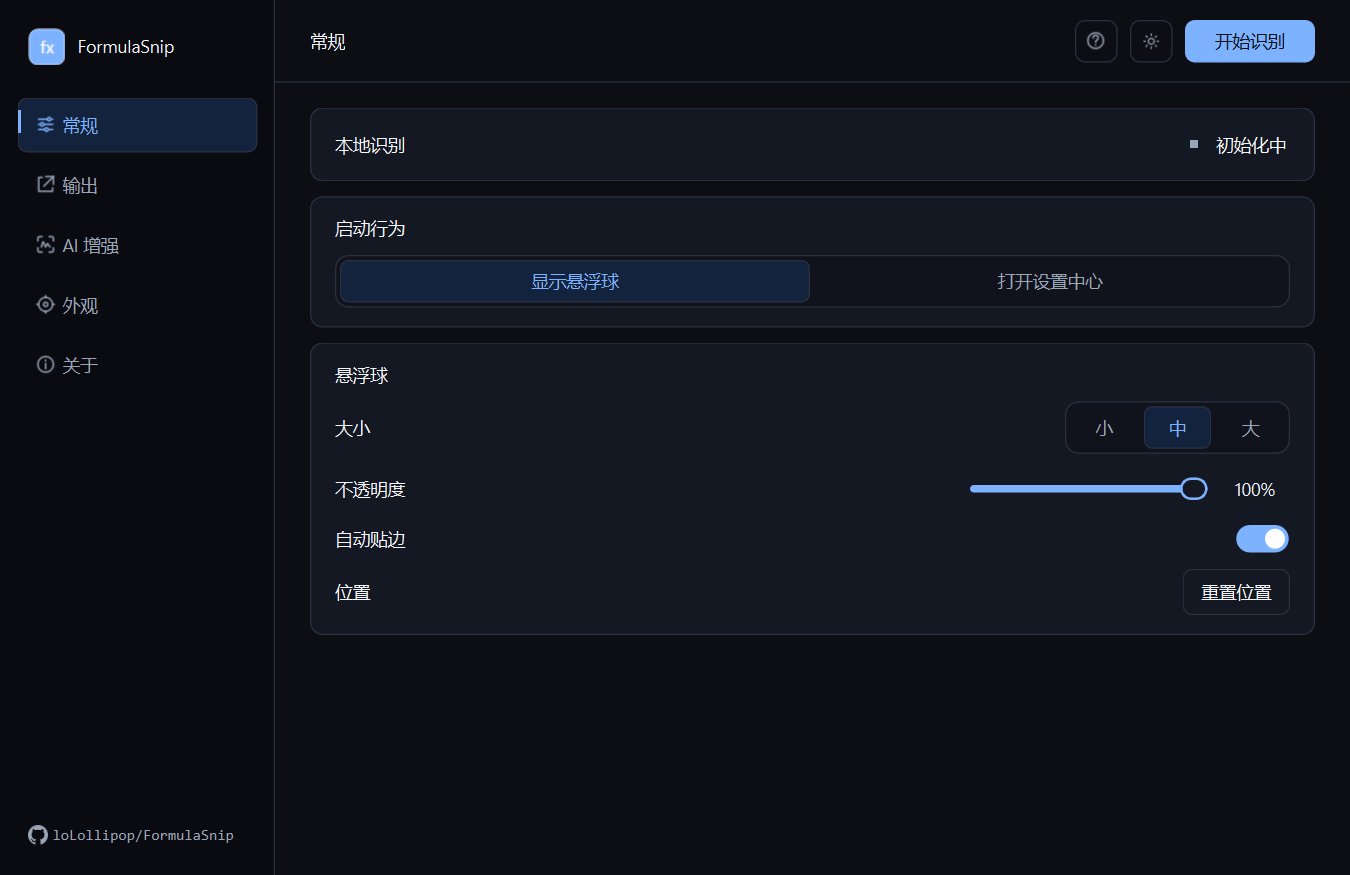
FormulaSnip is a focused Windows formula-recognition tool for papers, notes, and technical documents. Click the floating orb, select one formula on screen, review the rendered preview, and copy the result into Word, MathType, LaTeX editors, or other math-aware applications.
FormulaSnip recognizes individual mathematical formulas. It is not a full-page document, table, or general-purpose text OCR application.
English · 简体中文
| Feature | What it offers |
|---|---|
| 📸 Capture formulas | Click the floating orb and drag over any formula visible on screen |
| 🧠 Recognize locally | Run the bundled MathCraft OCR CPU model without uploading screenshots by default |
| ✏️ Review and edit | Compare an offline rendered preview with the source and edit LaTeX before copying |
| 📋 Copy for writing | Copy LaTeX or MathML for Word, MathType, Markdown, and LaTeX workflows |
| ✨ Enhance with AI | Optionally run an OpenAI-compatible vision model alongside local recognition |
| 🎨 Personalize | Choose light or dark mode, four interface accents, orb-ring colors, and a custom orb logo |
| 🔄 Stay current | Check for releases in the app; installed builds can apply verified updates with visible progress |
- Install FormulaSnip. Download the Setup package from Releases, run it, and create shortcuts when prompted.
- Start recognition. Open FormulaSnip and select Start Recognition to leave the floating orb on screen.
- Capture and copy. Left-click the orb, drag over one formula, review the result, then copy LaTeX or MathML.
Important
The official Windows Setup and portable ZIP include the Python runtime, application dependencies, and the pinned MathCraft formula model. No separate Python installation or first-use model download is required.
| Package | Use case |
|---|---|
FormulaSnip-v*-windows-x64-setup.exe |
Recommended. Installer, shortcuts, uninstaller, and in-app automatic updates |
FormulaSnip-v*-windows-x64.zip |
Portable use; extract the entire archive before running FormulaSnip.exe |
System requirement: Windows 10 or Windows 11, x64.
Note
Current releases are not Authenticode-signed. Windows SmartScreen may show a warning. Download FormulaSnip only from this repository's official Releases page.
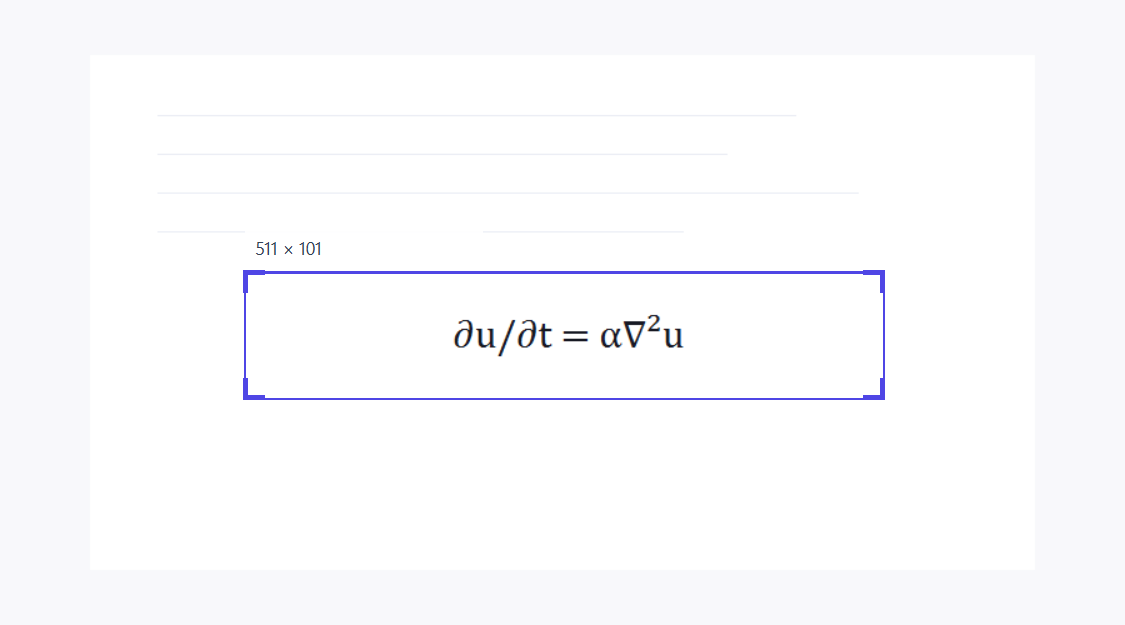
Left-click the floating orb and drag around a single formula. Press Esc or right-click to cancel the capture.
FormulaSnip renders an offline MathJax preview instead of showing a magnified screenshot. You can edit the recognized LaTeX and immediately check the updated typesetting.
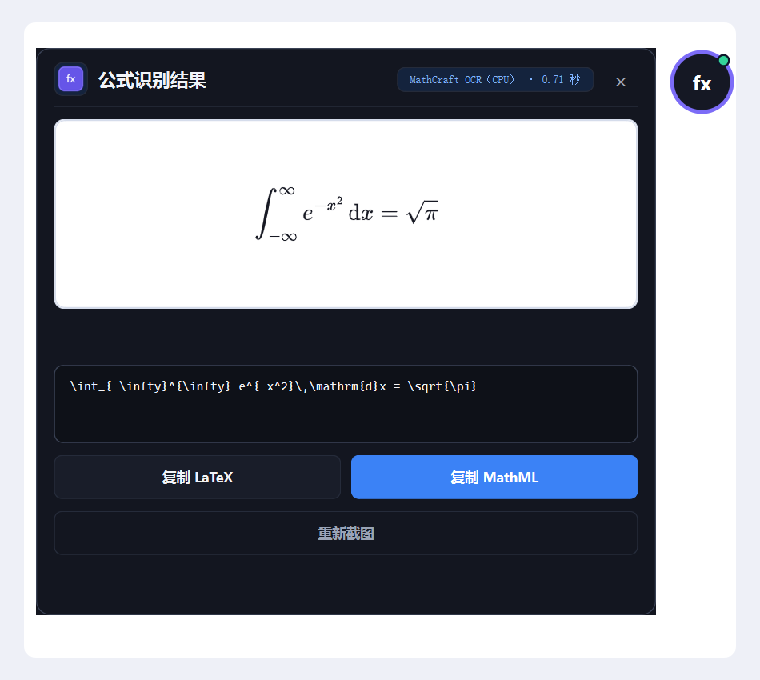
| Destination | Recommended output |
|---|---|
| Microsoft Word or MathType | MathML — paste into a formula-editing area |
| LaTeX editor or Markdown | LaTeX — paste into the appropriate math environment |
By default, the result panel closes after a successful copy. This behavior and the preferred output format can be changed under Settings → Output.
Tip
Formula OCR is not infallible. Always compare complex fractions, matrices, integrals, partial derivatives, and tightly spaced subscripts with the source before pasting.
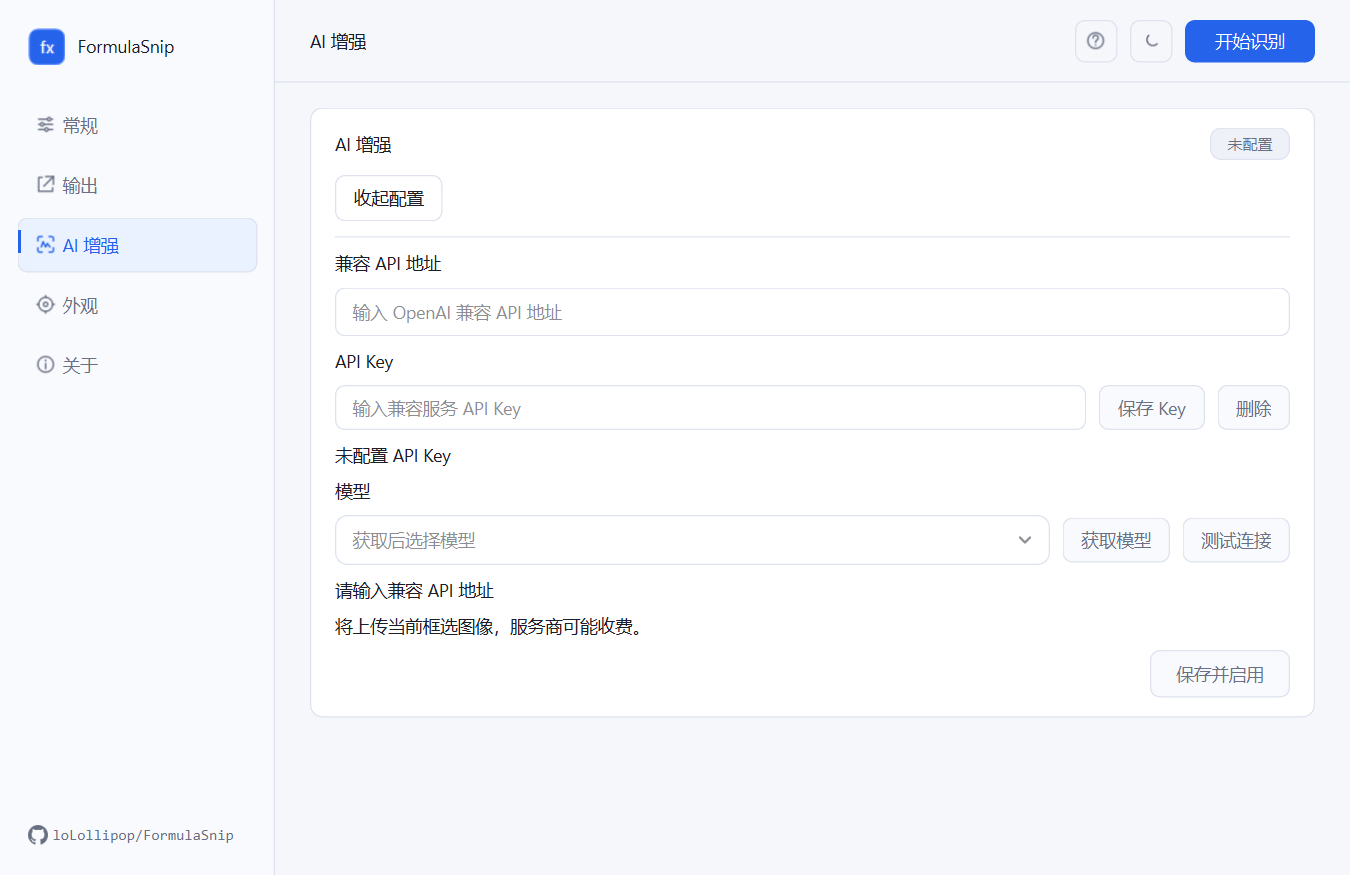
AI assistance is disabled by default. Open Settings → AI Enhancement → Configure, enter an OpenAI-compatible API URL and API key, retrieve and select a model, test the connection, then choose Save and Enable.
- FormulaSnip retrieves the provider's available models and lets you test the connection.
- Local MathCraft OCR and the remote vision model run independently in parallel.
- If their results genuinely differ, the result panel lets you switch between them.
- If the AI request fails, the local result remains available.
- The API key is stored in Windows Credential Manager, not in the ordinary settings store.
The configured provider receives the selected formula image and may charge for or retain requests according to its own policy. See Privacy before enabling this feature.
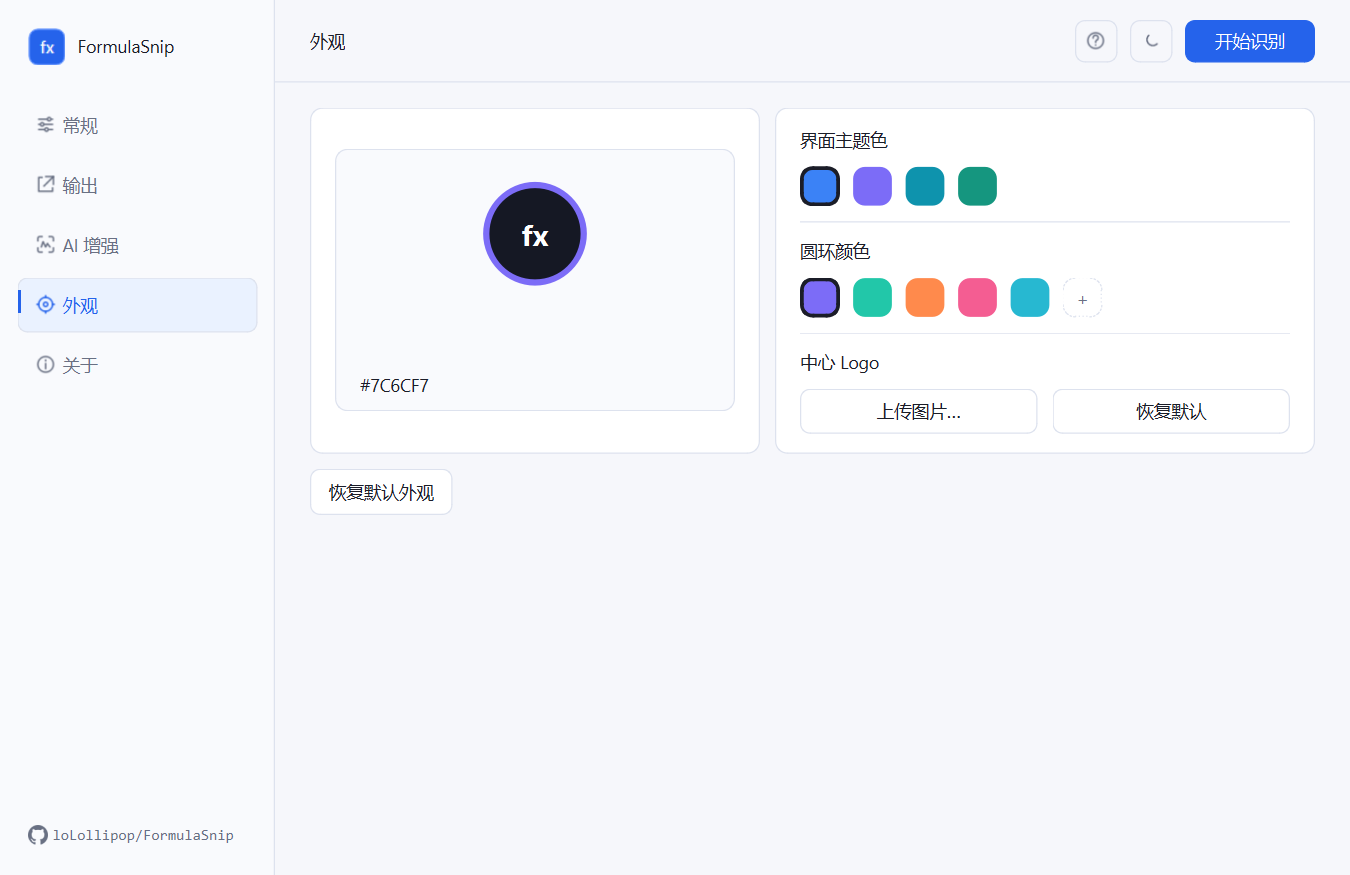
- The settings center, result panel, and update dialog share the selected interface accent.
- Light and dark modes are independent of the accent color.
- The floating-orb ring and center logo can be customized separately.
- The system tray provides quick access to capture, settings, updates, and exit.
Source development requires Python >=3.10,<3.13 and uv:
git clone https://github.com/loLollipop/FormulaSnip.git
cd FormulaSnip
uv sync --extra dev
uv run python -m formulasnip
Run the test and lint suites:
uv run pytest -q
uv run ruff check .
Build the Windows portable package and Setup installer with Inno Setup 6:
.\scripts\build_windows.ps1The release build downloads and verifies the pinned MathCraft model when the build cache does not already contain a valid copy.
- Local OCR and formula preview run on the user's computer.
- Formula images are not written to temporary files by the normal recognition path.
- Recognition stays local unless AI assistance is enabled. Automatic update checks are enabled by default and contact GitHub; they can be disabled in Settings. Optional AI assistance contacts only the configured provider.
- Update packages are checked by size and SHA-256 before installation.
Read Privacy, Security, and Third-party Notices for the complete behavior and current release limitations.
Bug reports and pull requests are welcome. For recognition issues, please attach the original formula image and the expected LaTeX while removing any private information.
- MathCraft OCR and MathCraft Models provide the local formula-recognition foundation.
- PySide6 powers the Windows desktop interface.
- MathJax provides the offline electronic formula preview.
- latex2mathml provides MathML conversion.
FormulaSnip is licensed under GPL-3.0-only. Third-party components and model files retain their respective licenses; see Third-party Notices.