
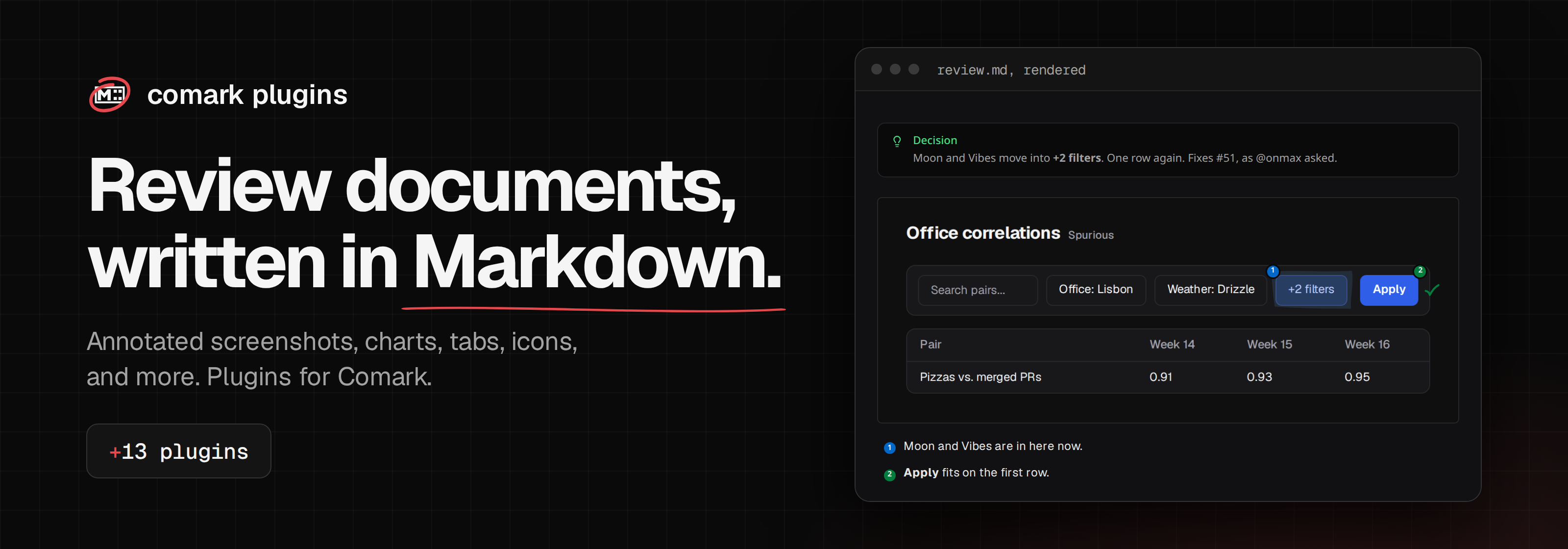
Plugins for review documents, built on Comark. This is an independent project by @onmax, not made by the Comark team.
Install comark-ui to get every block below in one package, registered in the order they need:
pnpm add comark @comark/html comark-uiEach block is also published on its own, and all of them share one version.
| Package | What it does |
|---|---|
comark-ui |
Every block below in one install, registered in order with one icon resolver. |
comark-annotate |
Hand-drawn marks, numbered notes, and arrows on screenshots, and before/after comparisons. |
comark-badge |
Badges for versions and statuses, inline as :badge[deprecated]{color="warning"} or as Nuxt UI's block ::badge, in Nuxt UI's seven colors. |
comark-cards |
Cards, link cards, and columns in Nuxt UI's syntax, with no script. |
comark-carousel |
A carousel of any Markdown content, with arrows, a counter, keys, and zoom. |
comark-cast |
Terminal recordings from asciinema casts as their final screen or full log, in colored text with no player. |
comark-charts |
Charts from Markdown tables. |
comark-chips |
Links and @user mentions as chips with the site's favicon or the person's avatar, inlined while parsing. |
comark-cjk |
Bold, italics, and strikethrough next to Chinese, Japanese, and Korean punctuation, as in **この文は太字。**次の文. |
comark-code |
Copy and Wrap buttons on code blocks, and buttons of your own that hand the code to your app. |
comark-code-notes |
Numbered notes on lines of code: a // <1> marker in a fence links to the numbered list after it, and back. |
comark-colors |
A swatch next to inline code that holds a color, like GitLab, and ::palette grids of named colors. |
comark-critic |
CriticMarkup: {++insertions++}, {--deletions--}, {~~old~>new~~}, highlights, and comments as native <ins>, <del>, and <mark>, shown, accepted, or rejected. |
comark-deflist |
Definition lists: a term, then : definition lines, rendered as native <dl>, <dt>, and <dd>. |
comark-details |
Details, accordions, and collapsibles in Nuxt UI's syntax, drawn as native <details> with a real <summary>, so they open with no script. |
comark-diagrams |
PlantUML, Graphviz, D2, DBML, and ASCII diagrams drawn as sanitized inline SVG while parsing, through a Kroki server. |
comark-diff |
A code change shown like a suggested change in a pull request review: the file, red and green lines, and the words that changed. |
comark-embed |
YouTube, Vimeo, Loom, Spotify, CodePen, StackBlitz, and Figma players from a link, with no network fetch. |
comark-figure |
Image captions: an image alone in its paragraph with a title becomes a native <figure> with a <figcaption>. |
comark-footnotes |
Footnotes in place of Comark's own plugin: [^1] references, definitions that hold any Markdown over several lines and blocks, and ^[inline notes]. |
comark-file-tree |
A project's folders and files from an indented list or pasted tree output, with added, removed, and changed entries marked and a note on any line. |
comark-fields |
Props, options, and parameters in Nuxt UI's ::field syntax, with their types, defaults, and an object's properties nested under it. |
comark-github |
GitHub's > [!NOTE] alerts as callouts, @user and #123 as links, and raw HTML limited to what GitHub allows. |
comark-icon |
Iconify icons in Markdown as :icon{name="lucide:apple"}, drawn as CSS with no script, and the resolver other plugins draw icons with. |
comark-keys |
Keyboard shortcuts: ++ctrl+shift+k++ renders each key as a <kbd>, with pymdownx.keys' names and aliases. |
comark-links |
A # link beside each heading, and external links with the target and rel you choose and a warning before a new tab. |
comark-media |
Videos and audio written as images, and GitHub attachment links that play, with no script. |
comark-metrics |
Before → after numbers with the percent change, progress bars, and tables of metrics with a change column. |
comark-linter |
Finds unclosed blocks, unknown components, broken links and anchors, local URLs, and plugin issues in Comark documents, from a script, the command line, or Vite Doctor. |
comark-include |
Markdown partials and code snippets from files, by lines or by region. |
comark-mark |
==highlighted text== as <mark> and ^superscript^ as <sup>. |
comark-properties |
Chosen frontmatter keys, such as status, pull request, author, date, and tags, as a properties box at the top of a document. |
comark-sources |
Numbered :cite[2] citations that link to a ::sources list of links, each with a link back. |
comark-table |
Tables from CSV, TSV, and JSON files or fences, read while parsing, with copy buttons and headers that sort. |
comark-steps |
Numbered steps from the headings of a tutorial or a numbered list, in Nuxt UI's ::steps syntax, with no script. |
comark-qr |
QR codes drawn as inline SVG while parsing, for opening a preview link on a phone. |
comark-quiz |
Questions, polls, and recall cards for lessons: check an answer and see why each option is right or wrong, vote, or test yourself. They read without a script, and a host can save answers and show everyone's. |
comark-reading-time |
A document's word count and reading time in meta.readingTime, with code blocks left out and CJK counted by character. |
comark-tabs |
Tabs and code groups that switch together across the page, and read without a script. |
comark-outline |
A table of contents in the body of a page: ::toc becomes a nested list of links to its headings. |
comark-tests |
Test results from a JUnit XML report: pass, fail, and skip counts, the duration, and each failure with its stack. |
comark-xref |
Numbered figures and tables, and :ref{#fig-x} references that read "Figure 1". |
comark-zoom |
Zoom images and any block like medium-zoom, with Escape, Back, and click-outside to close. |
Docs and live demos: comark-ui.onmax.me.
skills/comark-ui teaches an agent every package, with a reference per package. Install it with npx skills add onmax/comark-ui, or bundle it in an app from comark-ui/skills/comark-ui/.
pnpm install
pnpm ready      # format, lint, typecheck, build, test, and Vite Doctor
pnpm docs:build # the docs site in docs/dist
Each package keeps its docs pages next to its code, in packages/<name>/docs/, and docs/build.ts renders them into the site with the pages in docs/pages/. test/workspace.test.ts lists everywhere a new package has to be registered.