
A cockpit built for AI — asynchronous multi-tasking, task orchestration, and collaborative code review for AI-assisted engineering.


Traditional AI coding interfaces trap you in a linear, back-and-forth loop — one conversation, one thread, one task at a time. CoC throws that model out and is built around true asynchronous multi-tasking that matches how engineers actually think and work.
Read the full story: From Cursor to Claude Code to CoC
The only truly limited resource in software engineering is human attention. CoC is designed around three principles:
- Minimize context switching — structured task queues and compact per-task summaries so switching tasks feels like glancing at a dashboard, not excavating a conversation thread.
- Alignment through code review, not chat — instead of reading long chat logs, the AI submits proposals as Git diffs or Markdown specs, and you review them with inline comments, just like a standard code review.
- Maximize execution time — separate the "thinking" from the "doing." Queue up plans during working hours, hand them off to the AI to execute asynchronously, and come back to results ready for review.
Tasks run in Ask or Plan mode (read-only) or Autopilot and Script mode (read-write). Read-only tasks run in parallel with configurable concurrency; read-write tasks run sequentially to prevent conflicts. Queue up a batch of work, step away, and come back to results.
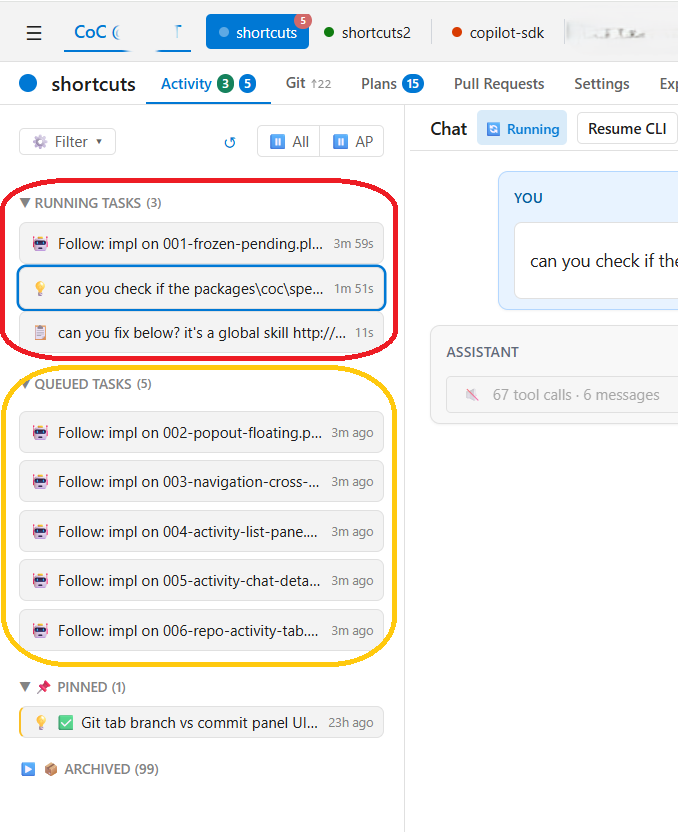
Task dashboard with running and queued tasks, each in its own isolated conversation.
The AI submits proposals as Git diffs or Markdown specs; you review them with inline comments. A single "Resolve All with AI" button batches all comments and sends them back in one shot — one focused review replaces a dozen interruptions.
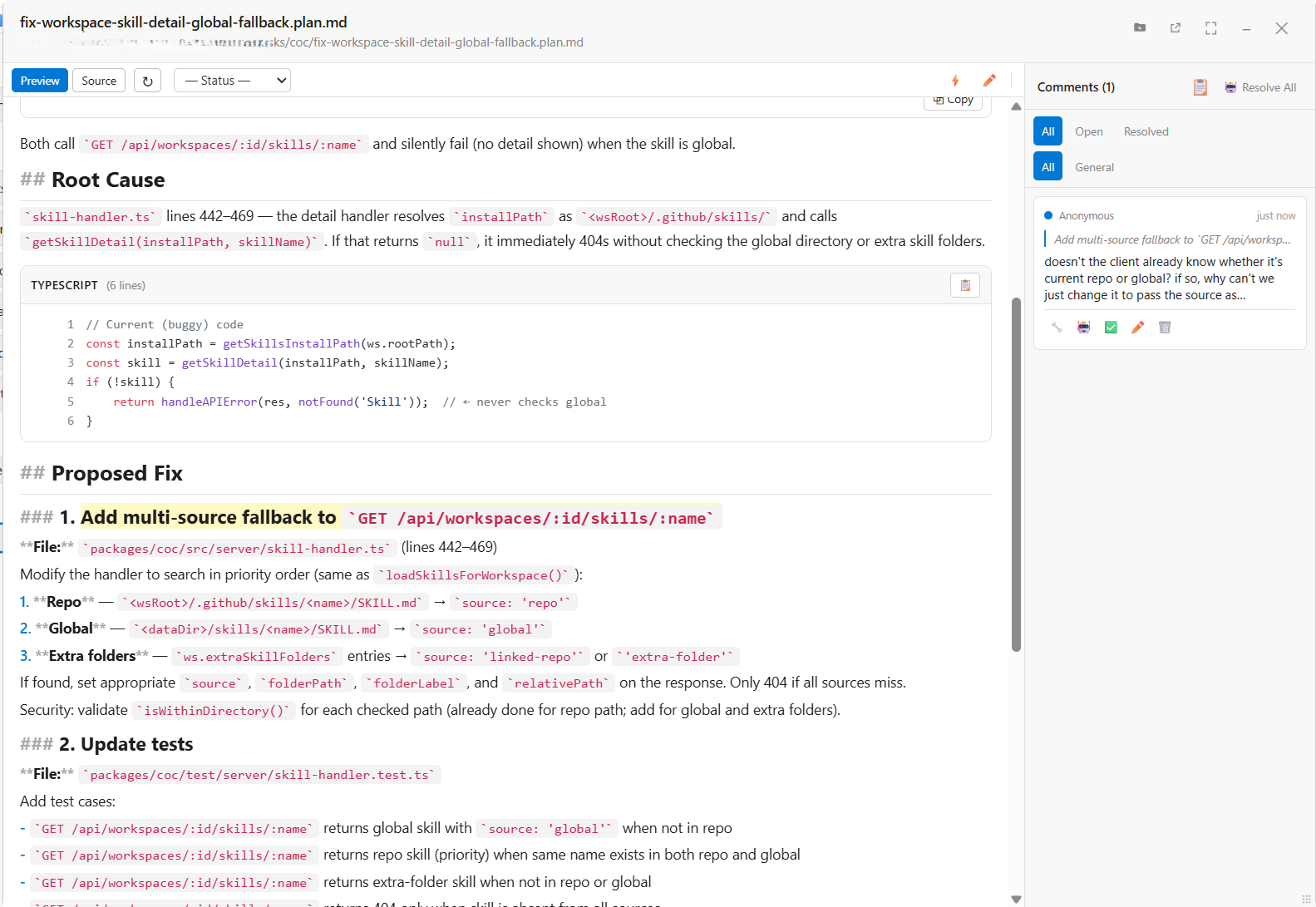
Spec review with root cause analysis and proposed fix, reviewed via inline comments.
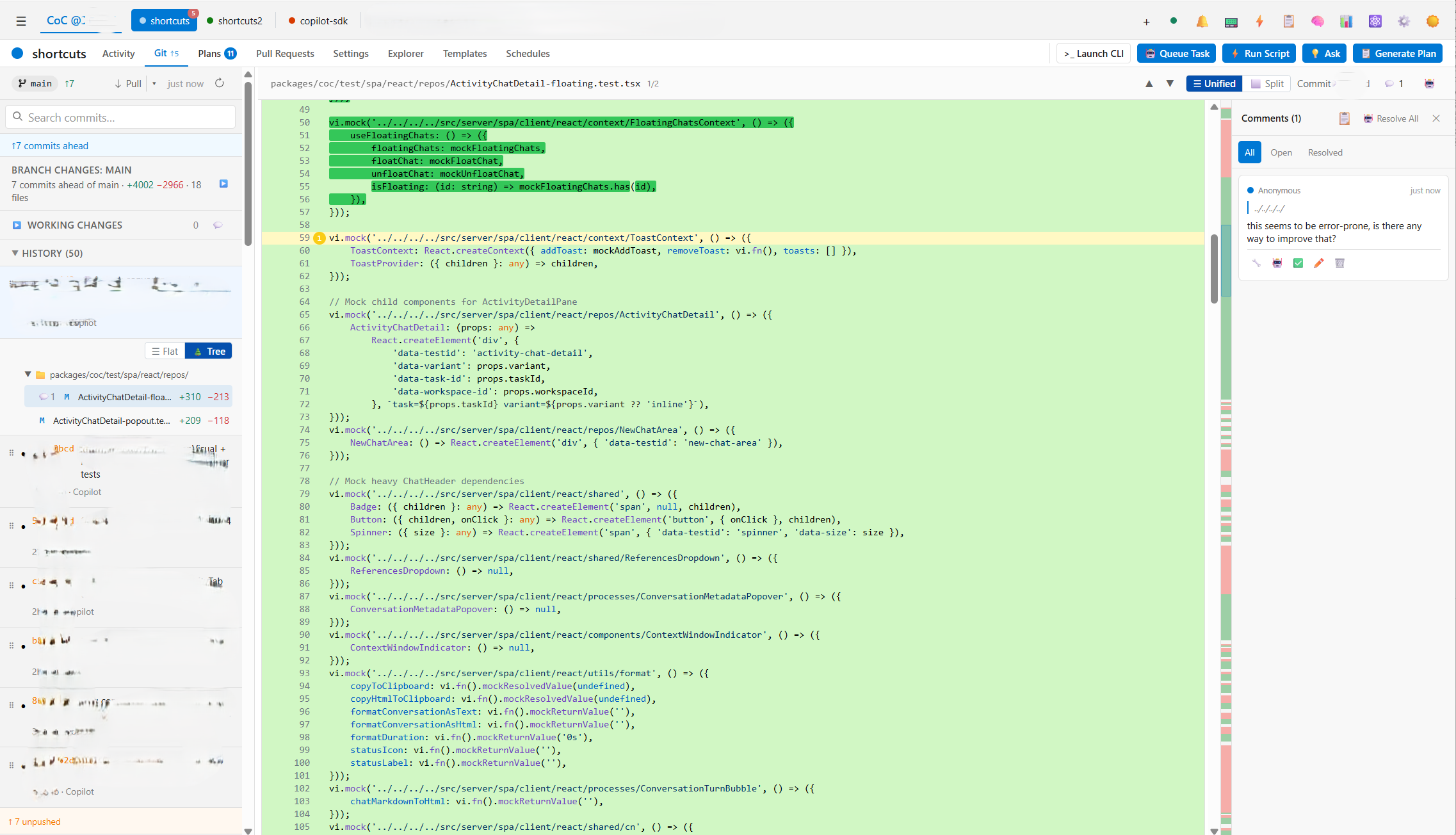
Diff review with inline comment thread for asynchronous code feedback.
Jobs can trigger on a recurring schedule — nightly, weekly, or at any specific time — enabling automated code health checks, periodic syncs, or any recurring workflow.
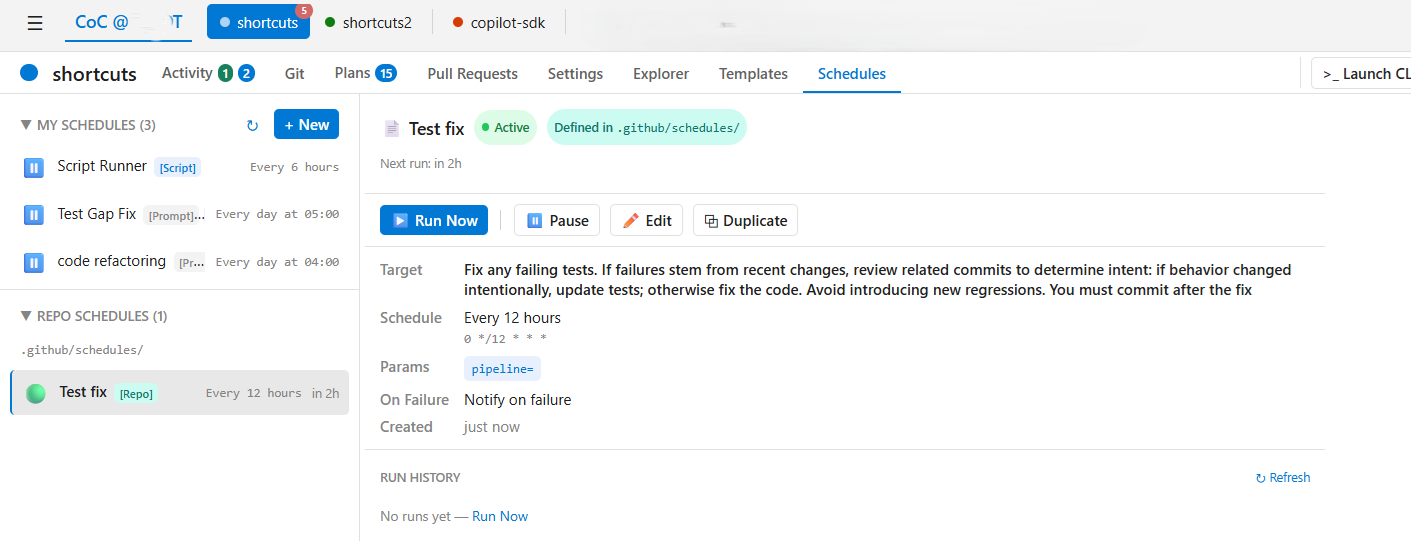
Schedules view with recurring jobs configured to run automatically.
Skills are natively supported by the copilot-sdk. The platform handles orchestration, context, and execution; skills define what the AI knows how to do. As your skill library grows across projects, so does the AI's capability.
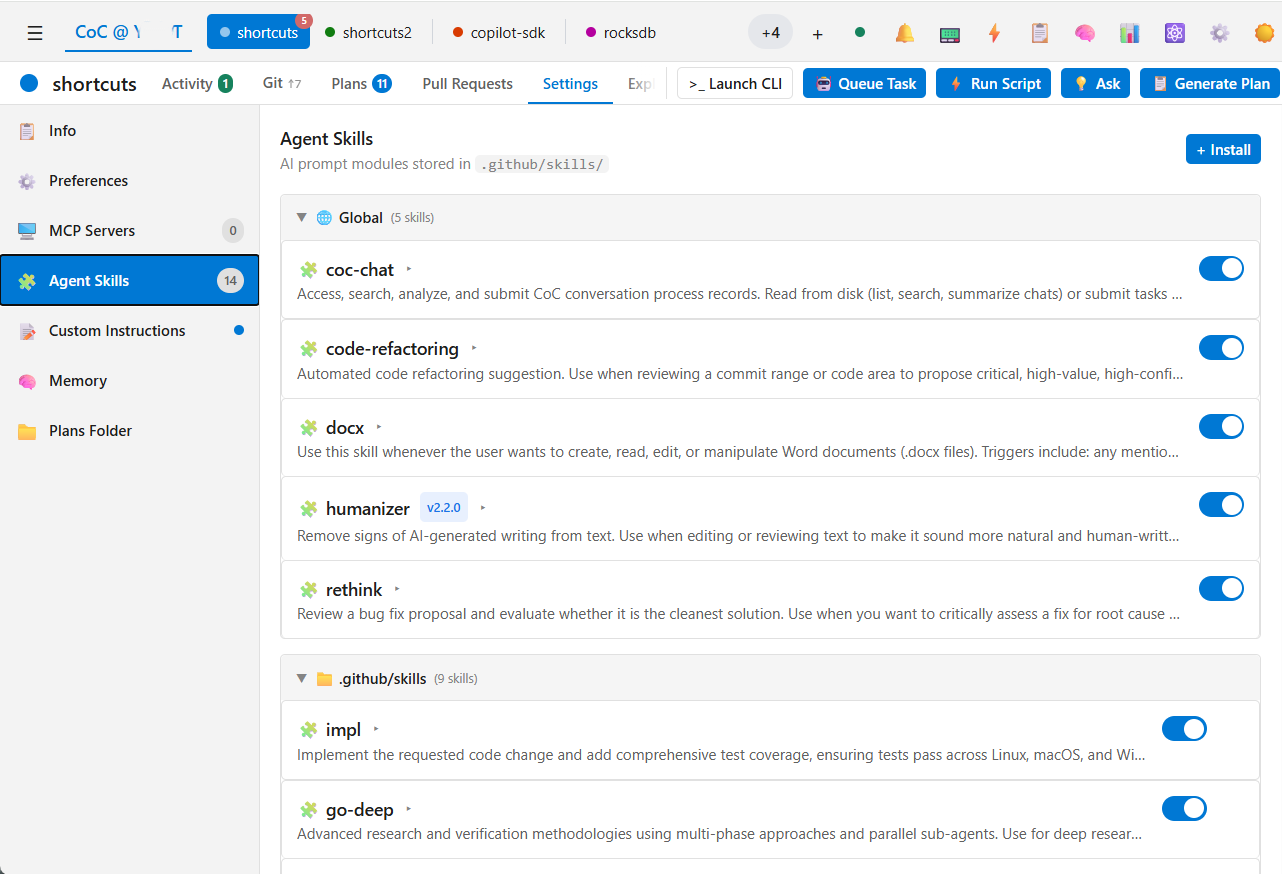
Agent Skills management, showing global and repo-scoped skills available across projects.
Multiple repositories and multiple clones of a single remote — without Git worktrees. Everything stays on the main branch with fixes committed as fixups.
Zero dependency on an editor. CoC runs as a standalone server with a mobile-responsive dashboard. Monitor queues, review diffs, and orchestrate agents from anywhere.
CoC uses @github/copilot-sdk (which wraps the @github/copilot CLI package)
for all AI features. When you npm install -g @plusplusoneplusplus/coc, the SDK
and CLI are pulled as transitive npm dependencies — no separate binary install is
needed.
-
Install CoC:
npm install -g @plusplusoneplusplus/coc
-
Authenticate with the Copilot CLI:
copilot        # launches the Copilot CLI REPL
/login         # type this inside the REPL, then follow the prompts
-
Start the dashboard:
coc serve
Configuration: ~/.coc/config.yaml — CLI flags override config file values.
Troubleshooting: If you see exit code 3 ("AI unavailable"), run
copilotand use/loginto verify your authentication.
| Package | Description | npm |
|---|---|---|
coc |
CLI + dashboard for YAML AI workflows | @plusplusoneplusplus/coc |
forge |
Core AI engine: SDK wrapper, DAG workflow engine, task queue, process store, git CLI, utilities | @plusplusoneplusplus/forge |
deep-wiki |
Auto-generates comprehensive wikis for any codebase | @plusplusoneplusplus/deep-wiki |