

stackboard is a k9s-style TUI for browsing and operating an OpenStack
cloud: switch what you're looking at with a : command, drill into a
resource for details, delete/reboot/start/stop it — all without leaving
the terminal or memorizing openstack subcommands and piping their
output through grep.
$ stackboard
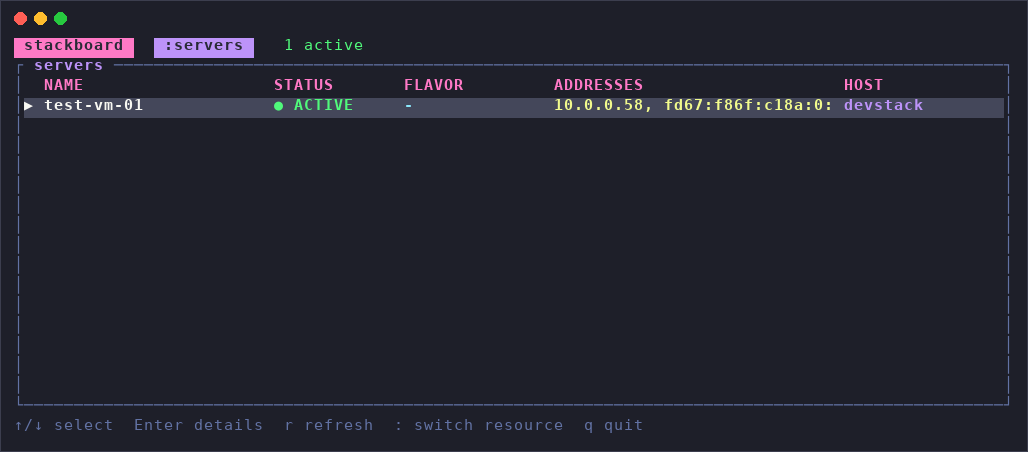
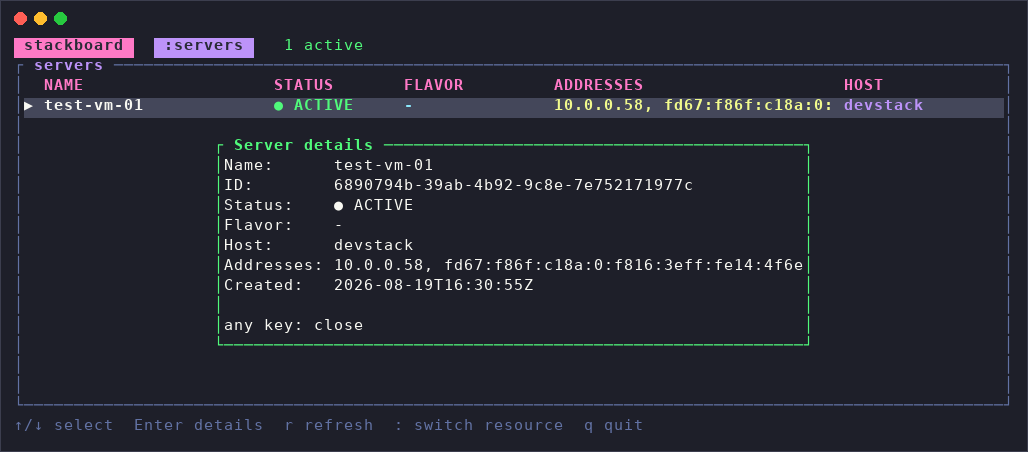
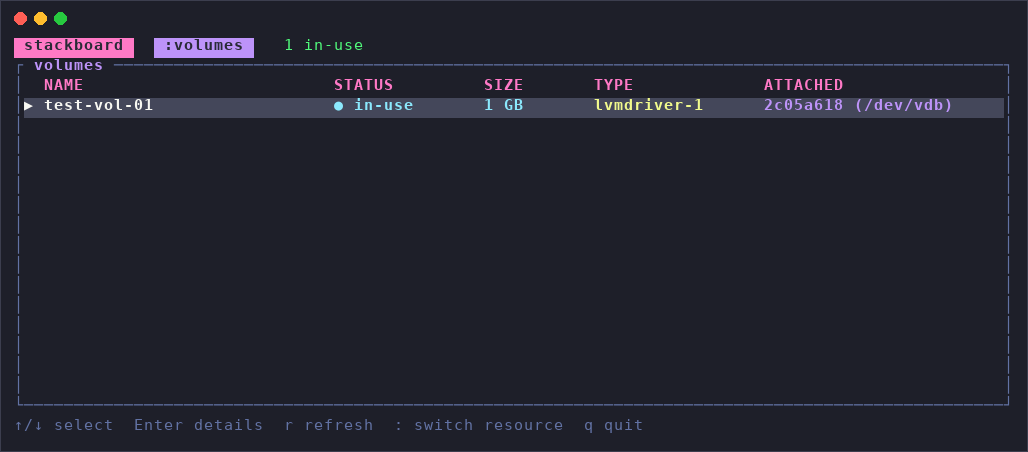
All screenshots above are the real thing — captured against a live OpenStack (DevStack) cloud, not a mockup.
stackboard reads credentials the exact same way the openstack CLI does —
OS_* environment variables first (so an already-sourced openrc.sh
just works), then clouds.yaml (checked in the current directory,
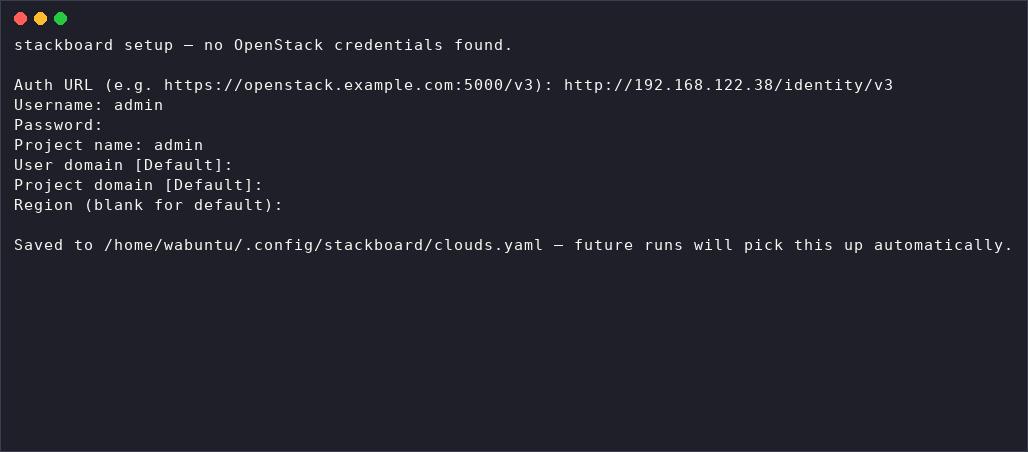
~/.config/openstack/, and /etc/openstack/). If neither is found, it
walks you through a one-time setup wizard and saves what you enter to
~/.config/openstack/clouds.yaml-style file it manages itself, so you
only answer the questions once.
$ stackboard setup # run the wizard on demand, e.g. to add another cloud
$ stackboard # connect using whatever credentials are found, open the TUI
Keys:
| Key | Does what |
|---|---|
↑ / ↓ |
move the selection |
Enter |
show details for the selected resource |
s |
SSH to the selected server (servers only) |
d |
delete the selected resource |
b |
reboot the selected server (soft reboot, servers only) |
p |
toggle power — stop an ACTIVE server, start a SHUTOFF one (servers only) |
: |
open the command bar to switch resource type |
r |
refresh now |
q / Esc |
quit |
s picks an IPv4 address off the server automatically (there's no
floating-IP-vs-fixed distinction to go on yet, so it's a best guess),
prompts for a username (remembered for next time), then suspends the
TUI and hands the terminal to a real, interactive ssh process — the
exact same "step out, then back in" pattern editors use for $EDITOR.
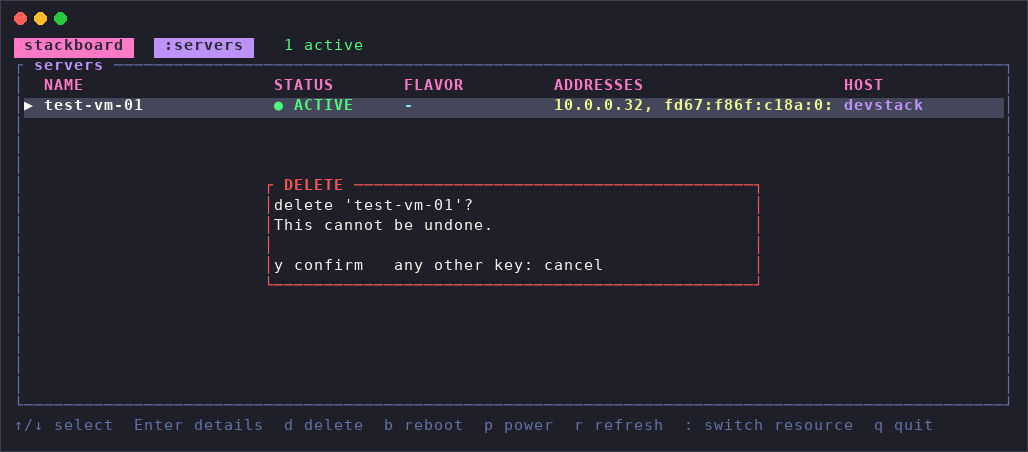
Every other action asks first — d/b/p open a y/n confirmation
popup naming the exact resource before anything is sent, and only y
(not Enter, not any other key) confirms it. Nothing fires on a stray
keypress.
The header keeps a running count of active/error/other so trouble is
visible before you even look at the list, and every row carries the same
status color as a ● marker — green (ACTIVE), red (ERROR), yellow
(BUILD/REBOOT/MIGRATING), muted blue-gray (SHUTOFF/SUSPENDED).
Open a server's details and its popup border picks up the same color, so
you never lose track of what you're looking at.
Type a name after : (any of the aliases work) to switch what the list
shows. Each one is backed by a real call to that service's REST API —
nothing here is synthesized from the others.
: command |
Aliases | Service | Columns shown | Actions |
|---|---|---|---|---|
servers |
server, vm, vms |
Nova (compute) | Name, Status, Flavor, Addresses, Host | delete, reboot, power, ssh |
volumes |
volume, vol, vols |
Cinder (block-storage) | Name, Status, Size, Type, Attached | delete |
networks |
network, net, nets |
Neutron (network) | Name, Status, External, Shared, Subnets | delete |
secgroups |
secgroup, sg, sgs, security-groups |
Neutron (network) | Name, Description, Rules | delete |
images |
image, img, imgs |
Glance (image) | Name, Status, Format, Size, Visibility | delete |
projects |
project, proj, tenants |
Keystone (identity) | Name, Status, Description, Domain | — (browse-only) |
Deleting a whole project is a different category of destructive than
deleting one resource in it — projects are deliberately browse-only for
now, rather than getting the same d binding as everything else.
On startup, stackboard sends a password-scoped auth request to
Keystone's /v3/auth/tokens and gets back a token plus a service
catalog — the list of every OpenStack service in this cloud and the
URL to reach each one. From then on, switching to :volumes just means
"look up the block-storage entry in that catalog and GET /volumes/detail from it" — the same pattern for every resource type
above, each in its own small module (nova.rs, cinder.rs,
neutron.rs, glance.rs, keystone.rs) that turns the service's raw
JSON into the fields the table actually shows. There's no caching
layer — switching resource type with : triggers an immediate fresh
request, and r refreshes the current one again on demand.
All six resource types and every action above are verified end-to-end against a real DevStack deployment, not just a mocked API. Deliberately left out of this version:
- More resource types (ports, routers, flavors, ...) — the
:command and internal resource-switching are built to make adding these straightforward, they're just not wired up yet. - More actions (reboot/power for anything but servers, attach/ detach a volume, edit a security group rule, ...) — each needs its own safe, clear interaction, same as delete did.
- Multi-cloud switching within the TUI —
clouds.yamlalready supports naming several clouds; picking between them mid-session (rather than only at startup) isn't wired up yet.
- Cargo:
cargo install stackboard - Debian package: https://github.com/wabuntu/stackboard/tree/main/target/debian
- RPM package: https://github.com/wabuntu/stackboard/tree/main/target/release/rpmbuild/RPMS/x86_64
- Single binary: https://github.com/wabuntu/stackboard/tree/main/binaries