Home
Welcome to the KLog wiki!
KLog is a free hamradio multiplatform logger software.
You can natively run KLog on Linux, macOS and Windows with exactly the same functionalities and user experience (multiplatform). Also, if the database is located in a cloud service (Google Drive, Dropbox or similar) you can access your logbook from different devices.
This wiki is intended to build a user manual, a reference to help users find information to learn how to use KLog and all its features.
You are invited to continue improving this manual.
- New to KLog? Start with Getting Started: Download KLog and follow the installation guide for your operating system, then run the First Run / Setup Wizard.
- Want to configure KLog (your station data, radio interface, online services, colors...)? Go to the Settings page.
- Want to learn how to use a specific feature (entering QSOs, satellites, search, statistics, awards, DX cluster, ADIF...)? Check the Usage section in the sidebar.
- Want to upload your log to LoTW, eQSL, Clublog or QRZ.com, or connect WSJT-X? Check Online Service Integrations in the sidebar.
See the full index in the sidebar of this wiki.
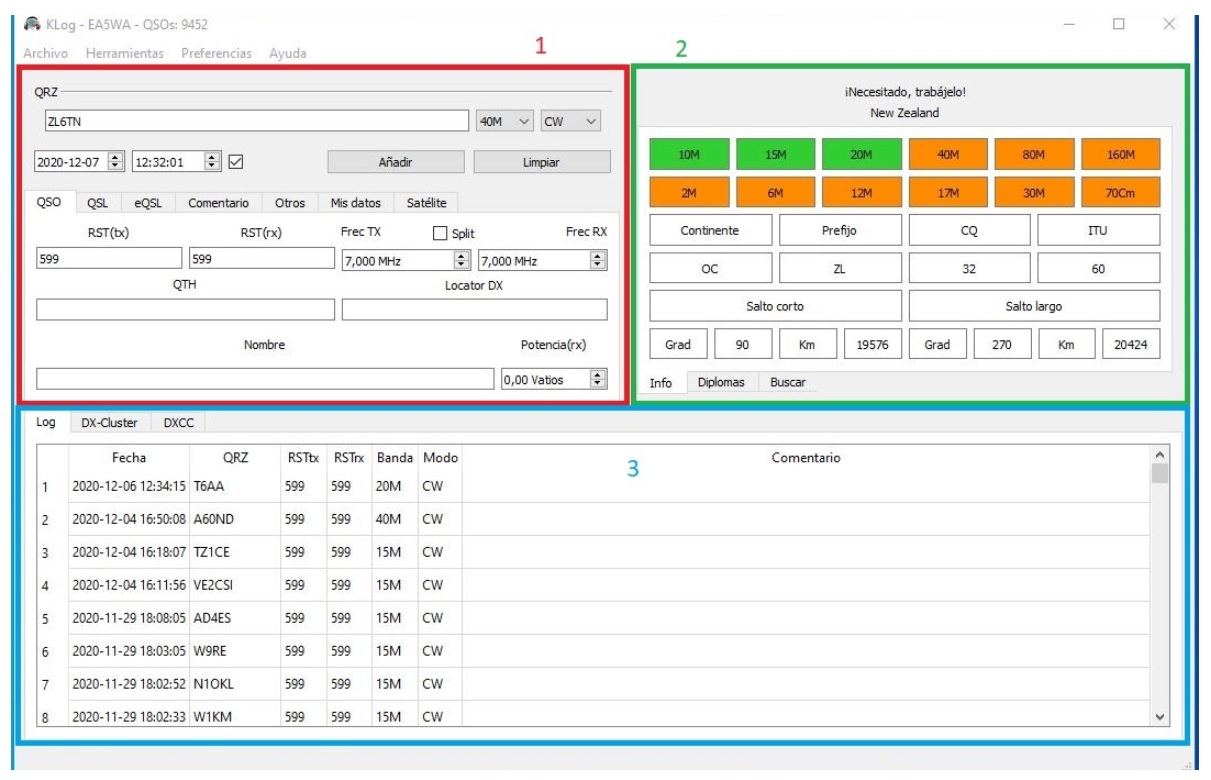
KLog's user interface is really easy to understand. The Main Window consists of three blocks:
-
1 - Input Block: Used to enter all the QSO data. Also used to show or edit a recorded QSO. Data is distributed in several tabs.
-
2 - Info Block: In this area you see all the information about the Entity (Country) you are working during a QSO. There are also several tabs: Awards and Search. The Search tab is very useful to see previous QSOs with the station you are talking with.
-
3 - Bottom Block: By default you see here your complete log. There are also other tabs: DXCC and Cluster.
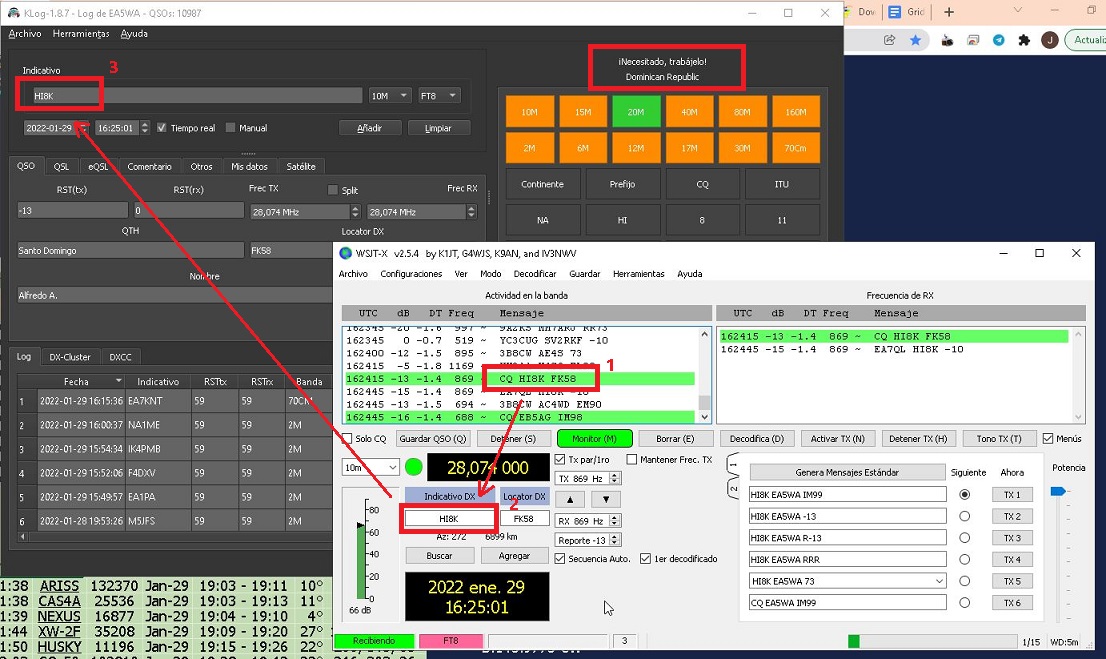
For FT8 users, KLog can be linked with WSJT-X to receive automatically all the QSOs in real time.
KLog has complete integration with the main QSL online services: LoTW, eQSL, Clublog and QRZ.com. You can easily upload your logbook to these services with just two mouse clicks. See Online Service Integrations for details.